What is the difference between files, memos, and documents?
In Medsenger, a file can be added in several places. Choose the place by two criteria: who should see the file and whether it should be stored separately from the conversation.
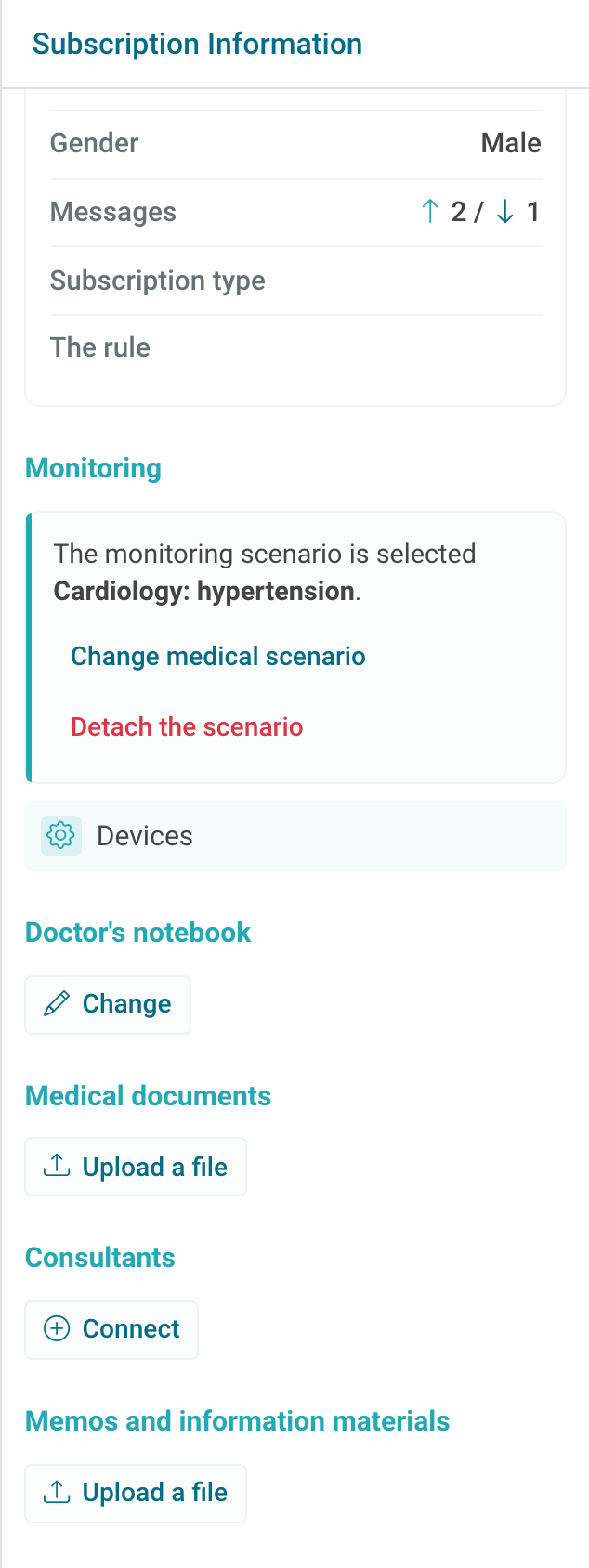
| Where to add | When to use | What matters |
|---|---|---|
| File in chat | You need to discuss the file with the patient now: photo, blank form, result, link, or action instruction. | The file will be in the chat feed and linked to a specific message. Write next to it what the patient should do. |
| Medical documents | You need to store a working consultation document separately from the conversation: examination result, discharge summary, conclusion. | The patient does not see medical documents. Uploading here by itself does not send the patient a message. |
| Memos and information materials | The patient should be able to quickly find the material later: preparation for an examination, self-monitoring rules, instruction. | The material is pinned for the patient in a visible place in the right column. It is visible to the patient, so do not use this section for internal documents and drafts. |
| Doctor notebook | You need an internal comment: next contact plan, a note for yourself, or a note for the doctor assistant. | The comment is not visible to the patient and does not replace a conclusion or recommendation. |
If the file should be visible to the patient and requires discussion, send it in the chat. If it is reference material that the patient needs to find quickly after the conversation, use memos. If the document is needed only for separate storage in the doctor's work, upload it to medical documents.
Do not upload the same file to every section: it will be harder for the patient and clinic employees to understand which version to use. If the file has been updated, name the new version more clearly than the old one and explain in the chat which one should be used.