What should I check after connecting monitoring?
After connecting, return to the consultation and check not only that monitoring is connected, but also that the patient received a clear next step.
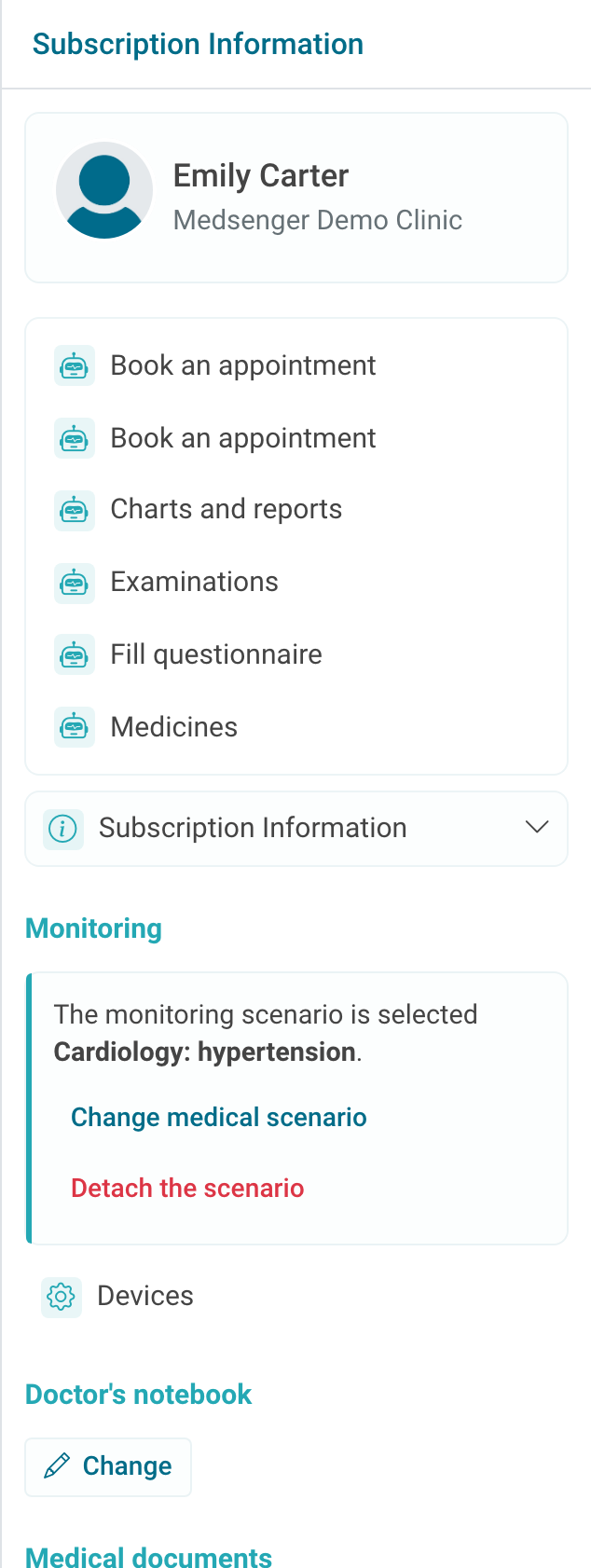
Check four things: the scenario name is shown in the right panel, the needed buttons appeared, the patient received the needed tasks, and the first answers go to the medical record, charts, reports, or assignment history.
If the scenario should send the patient a start message, questionnaire, or reminder, open the chat and make sure the patient understands what to do next.
This is especially important when monitoring is connected for the first time: the patient sees not scenario settings, but specific messages and buttons.
After the first completion, check where the result appeared. If it is unclear what was already sent to the patient and what was completed, open assignment history.
If buttons do not appear immediately, refresh the consultation page. If they are still missing after refresh, check whether the correct scenario is connected and which sections it includes.
If the scenario replaced an old one, review assignment history and the chat: the patient may have already received previous tasks. If needed, write briefly which instructions are now active.