What tasks can be assigned to a patient?
Tasks help the doctor receive data between patient contacts: questionnaire answers, medication marks, examination results, and measurements.
Open the patient and use actions in the right panel. Depending on the scenario, it may contain Questionnaires and algorithms, Medications, Examinations, Reminders, and Assignment history.
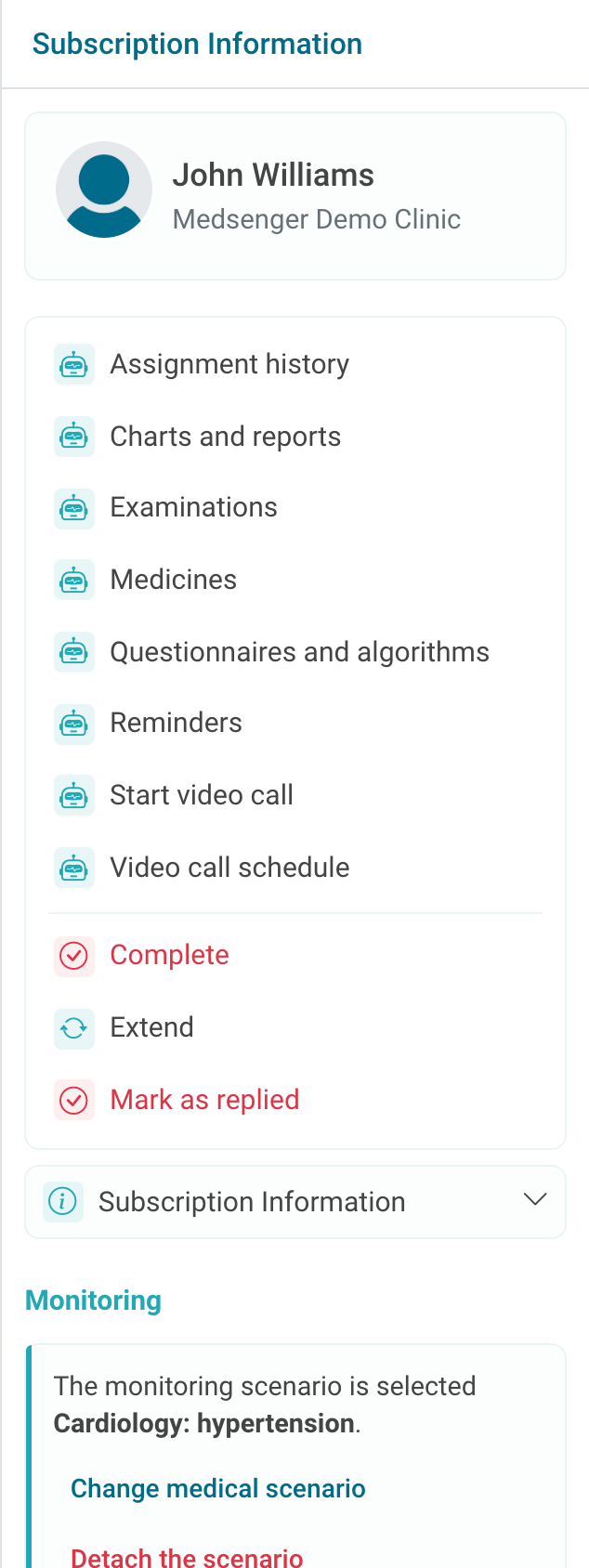
If there are no buttons, first check whether monitoring is connected for this consultation. If monitoring is connected but the needed action is still missing, check the scenario and doctor's role.
Choose the task type by the result the doctor needs.
| What you need to receive | What to assign | Where to view it later |
|---|---|---|
| Answers to questions or indicators | Questionnaire or measurement form | Medical record, charts, reports, chat |
| Medication schedule and patient marks | Medication assignment | Medications, assignment history, heatmap |
| File, conclusion, or result by a deadline | Examination | Examinations, consultation documents, chat |
| Simple prompt without a separate result | Reminder | The reminder itself and patient reaction in the selected channel |
If the doctor needs a chart, report, or completion mark, choose a questionnaire, measurement, medication, or examination. A simple reminder only prompts the patient what to do and does not create an indicator by itself.
After assigning, check two places: whether the patient received a clear message or button in the chat, and whether an entry appeared in assignment history. Look for the result in the appropriate section: charts, reports, medications, examinations, or documents.
Do not create the same task in several places: for example, a medication with its own reminders does not need to be duplicated by a separate text reminder.
If the task is temporary, decide right away who will finish it and when.
Main actions: