How do I use the message library?
The library contains reusable texts and patient handouts prepared by the clinic. It helps you send common recommendations without typing them again.
How do I open the library?
Open a consultation and select Message library in the right column.
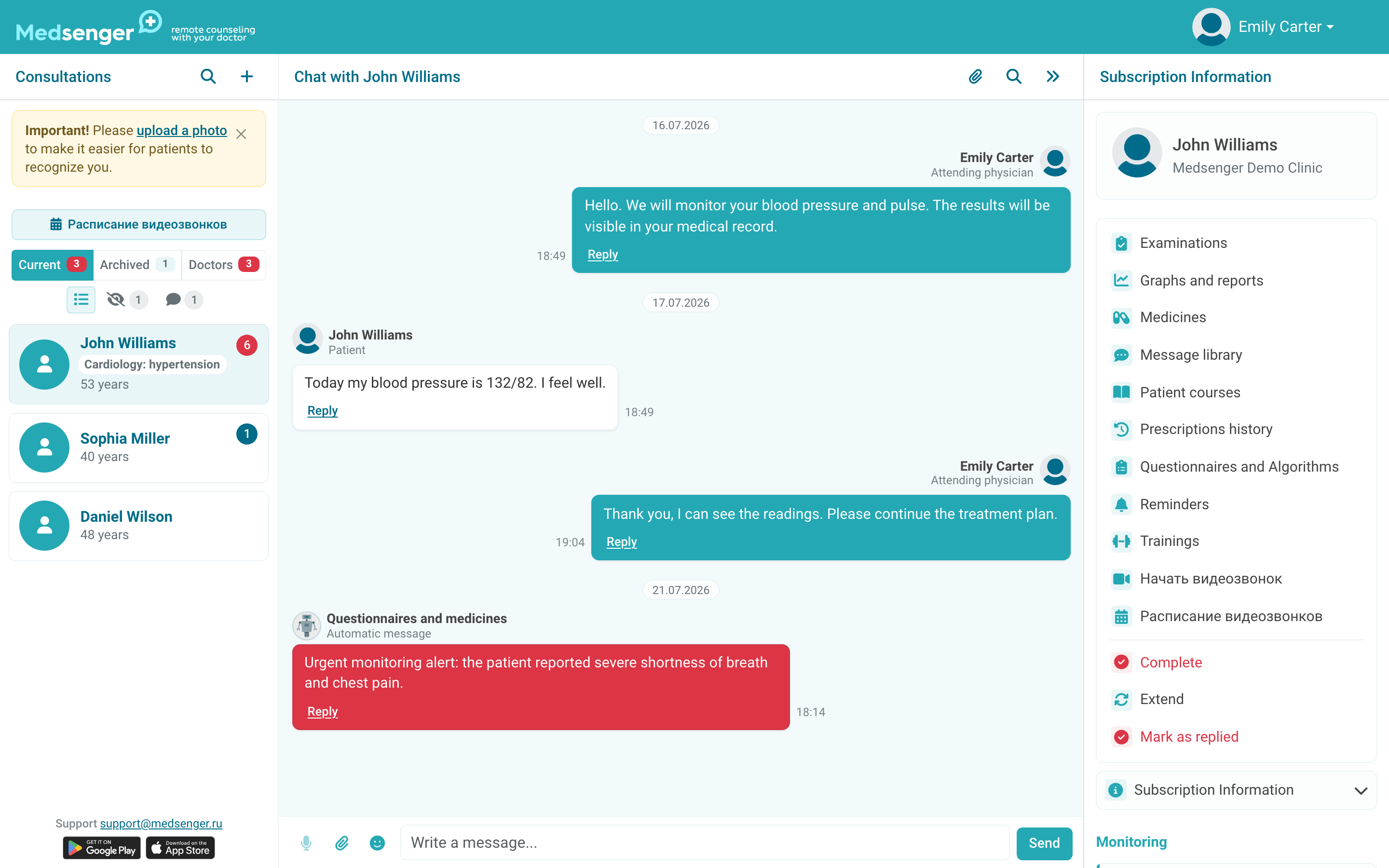
If the action is missing, ask the clinic administrator to enable the library for doctors.
How do I find a message?
Search by title or text, or select a category. Open a card to review the complete message and its attachments before sending it.
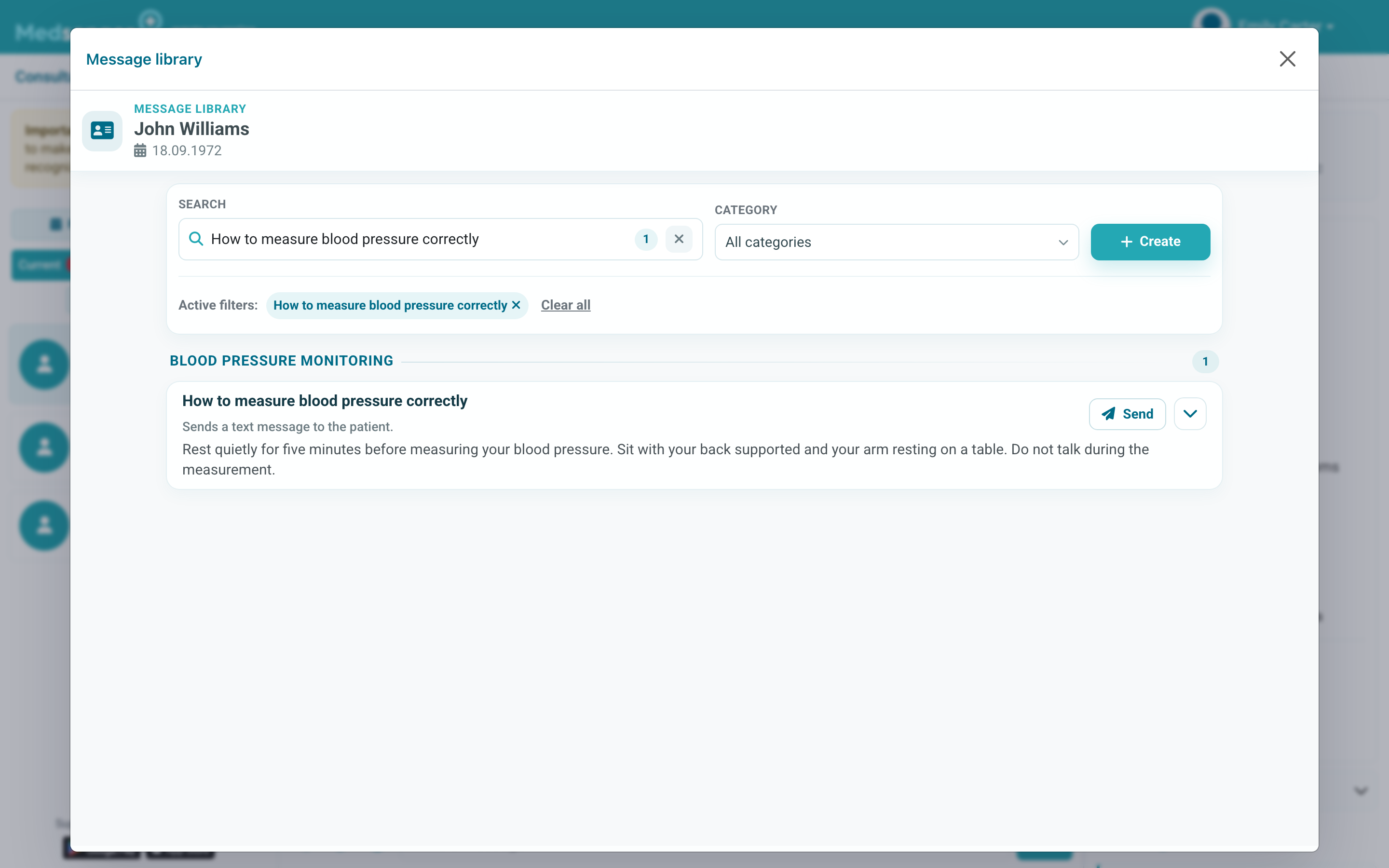
A template still requires clinical judgement. Make sure the text fits this patient and the current situation.
How do I send a template to the patient?
Select Send on the chosen card. The text and attached materials appear in the chat as a regular doctor message.
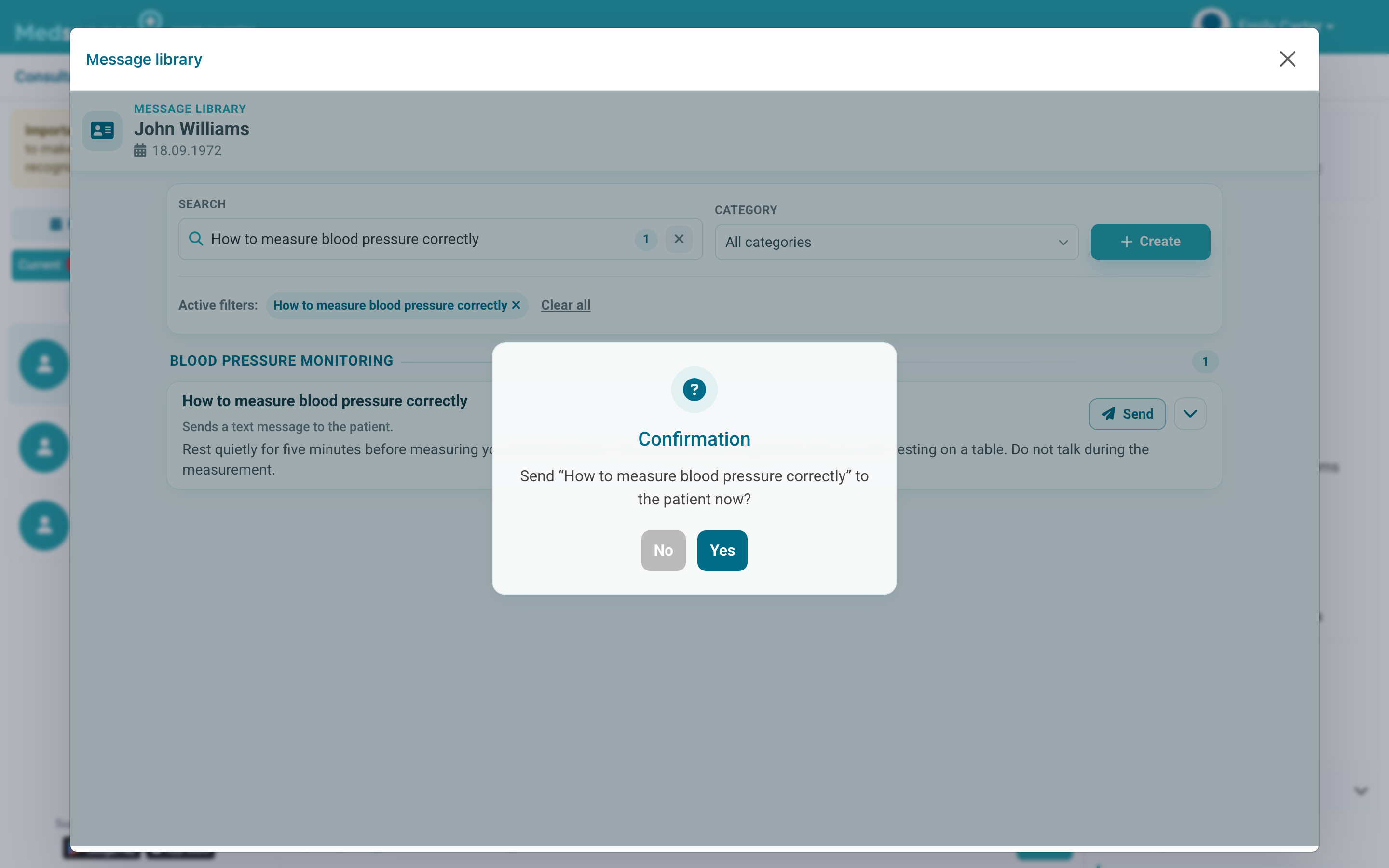
Return to the chat after sending and check the message. Add a personal explanation when needed.