Contract settings
In the administrator cabinet, a contract is the patient consultation record: doctor, access period, response rule, type, documents, and monitoring. Contract settings define which actions are available to doctors and how the system handles unactivated or completed consultations.
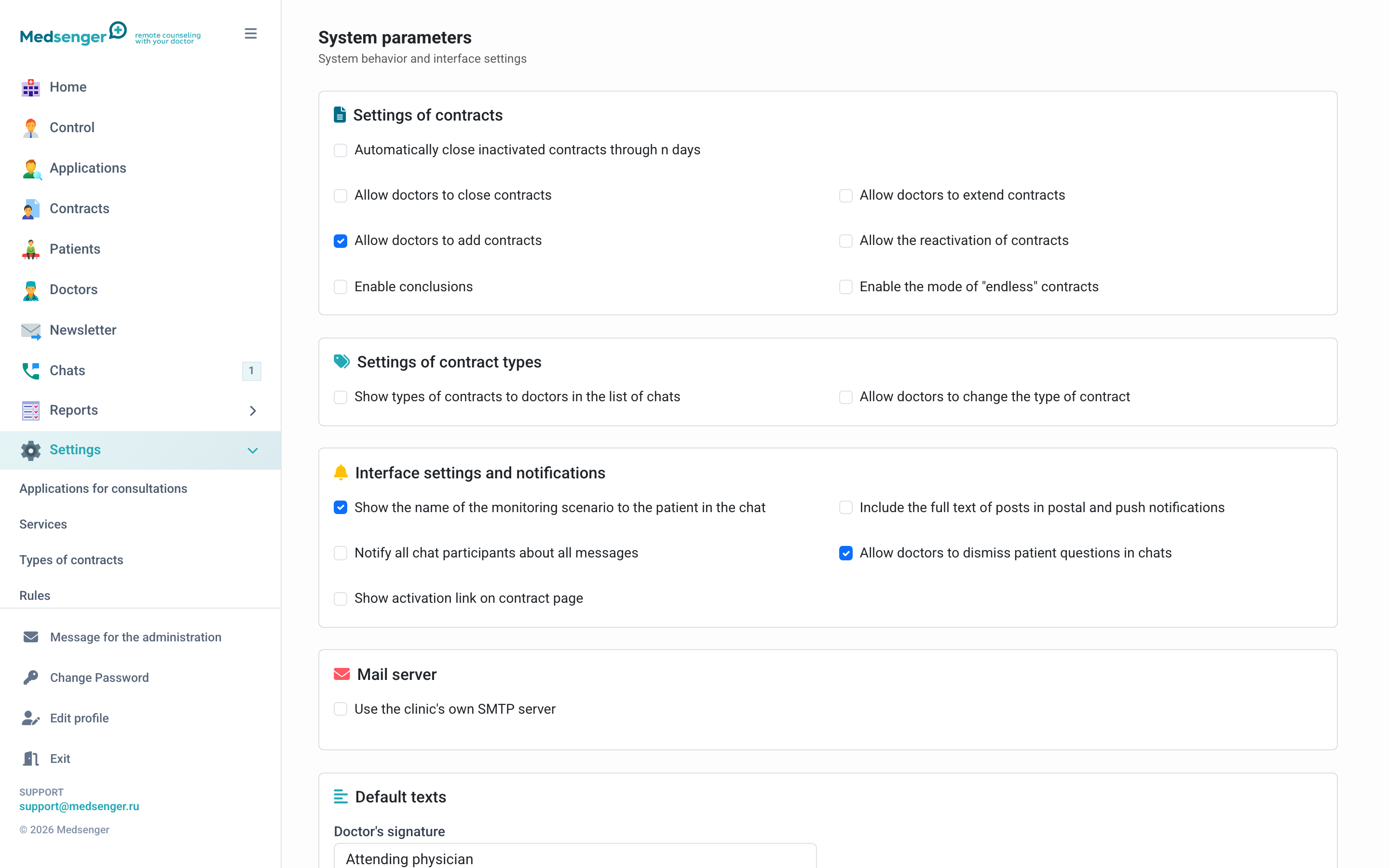
What these settings change
| Setting | What changes in work |
|---|---|
| Automatic closing of unactivated contracts | Old invitations will close without manual cleanup |
| Allow doctors to close consultations | Doctor can finish work with a patient |
| Allow doctors to extend consultations | Doctor can extend an active consultation |
| Allow doctors to create consultations | Doctor can add a patient without administrator |
| Allow reactivation of archived consultations | Archived chat can be opened again for work |
| Show contract types to doctors | Doctor sees consultation type in the cabinet |
| Allow doctors to change type | Doctor can change consultation type without administrator |
The more actions are available to the doctor, the less manual work the administrator has. But before enabling them, define inside the clinic when a doctor may close, extend, or create a consultation independently.
Automatic closing of unactivated consultations
If a patient received an invitation but did not activate the account, the consultation may remain in the list for a long time. Automatic closing closes such records after a specified number of days.
Enable it if the clinic often creates consultations in advance and wants to keep the list current. Before enabling, warn registrars: if the patient activates later, a new consultation may need to be created or the old one opened under clinic rules.
Reactivation of archived consultations
Reactivation is needed when a completed consultation must be opened again. After reactivation, always check period, doctor, response rule, documents, and monitoring.
If monitoring was connected before, do not assume it is automatically correct for the new observation period: check scenario, task schedules, and needed actions.
Endless consultations
Some clinics create consultations without a real end date. This fits continuous support, but is poor for services with a legally or financially limited period.
If the patient has a paid access period, use a regular period and extension.
Conclusions
If the clinic uses final medical conclusions, enable conclusion creation for doctors and agree the template and storage procedure inside the clinic in advance.
Before saving settings
Check:
- who requested the change;
- which doctors and patients it will affect;
- whether internal regulations need updating;
- whether doctors will get new buttons;
- whether administrators and registrars need to be warned.