How do I find and change a consultation?
The Contracts section shows all current clinic consultations. Here the administrator searches for a patient, checks period, doctor, type, monitoring scenario, and performs quick actions.
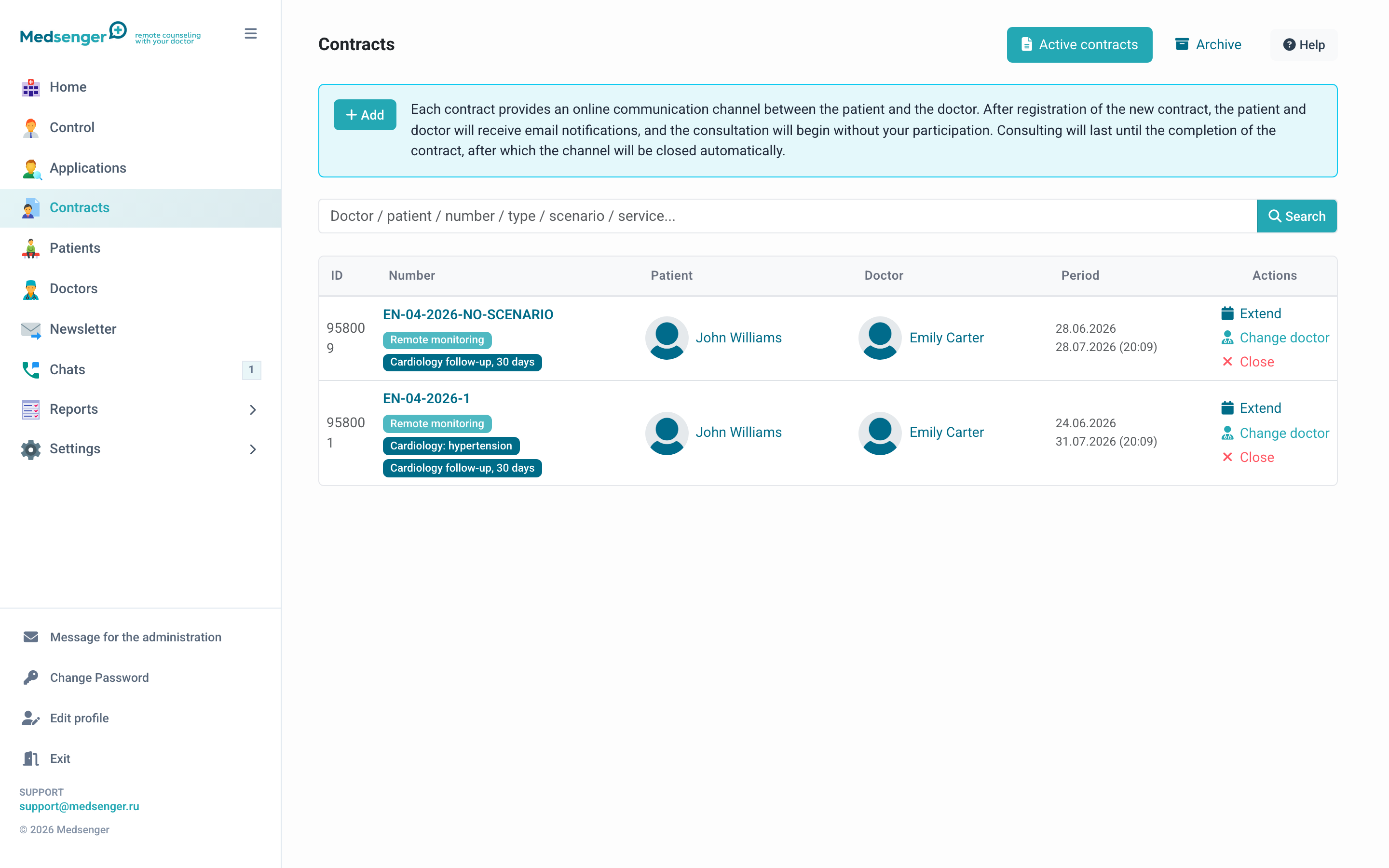
How to find a consultation
Use search by doctor, patient, contract number, type, service, or monitoring scenario.
The consultation row shows:
- ID and contract number;
- patient and doctor;
- validity period;
- type, service, and scenario;
- available actions: extend, change doctor, close.
If the patient is not found, clear the filter and check the Archive tab.
What states exist
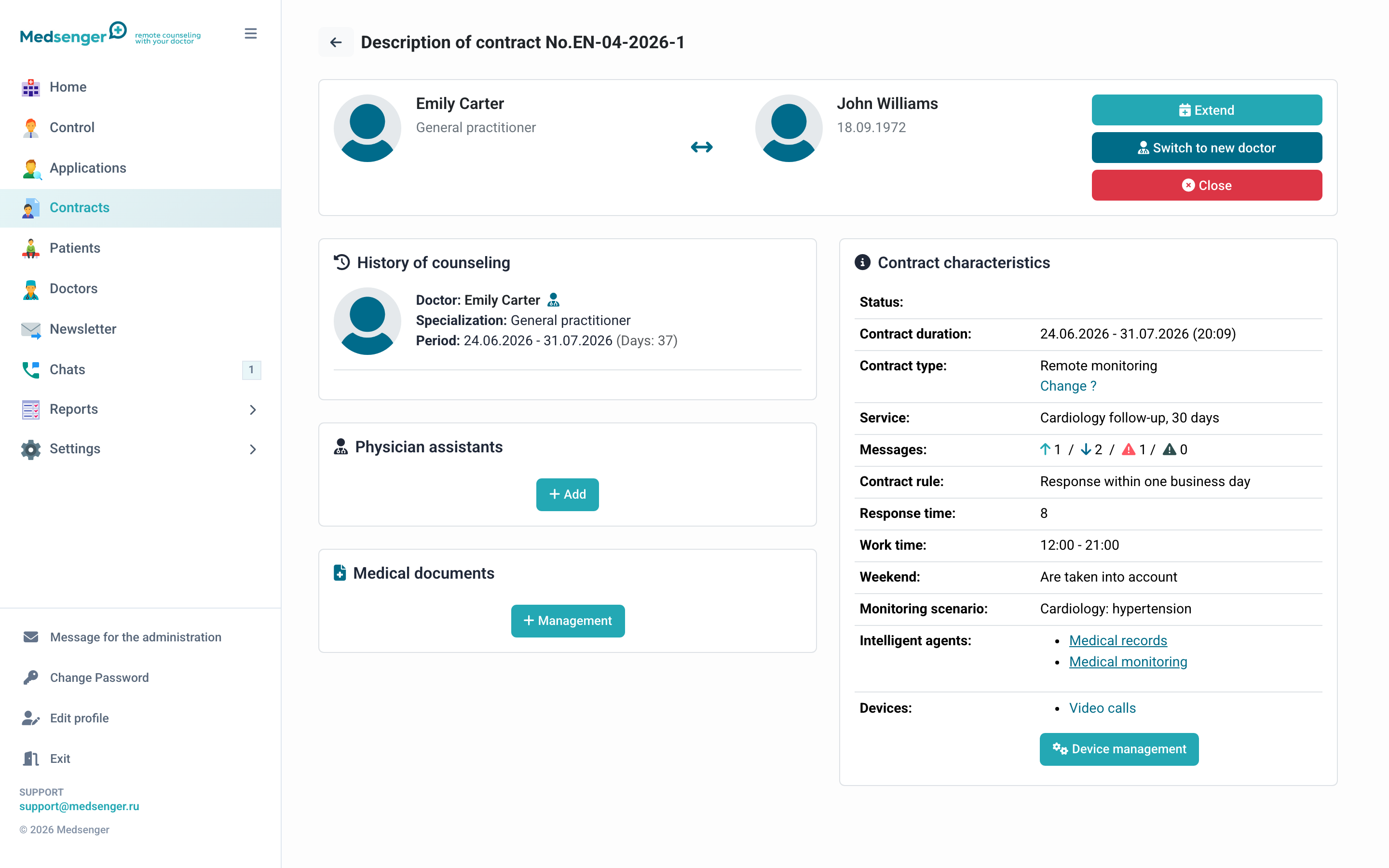
Different states may appear in the list and on the contract page:
- patient has not activated access yet;
- consultation was created in advance and waits for activation;
- consultation is active;
- consultation is completed and in the archive;
- consultation requires attention because of an overdue response.
Before changes, always check that you opened the correct patient, doctor, and period.
How to change a consultation
Quick actions are available directly in the list, but it is better to open the contract page to check details.
Most often the administrator changes:
- doctor;
- end date;
- contract type;
- response rule;
- monitoring scenario;
- medical documents;
- closing or reactivation status.
After a change, check who will receive a notification: patient, old doctor, new doctor, or clinic administrator.
Archive
Completed consultations are in the Archive tab.
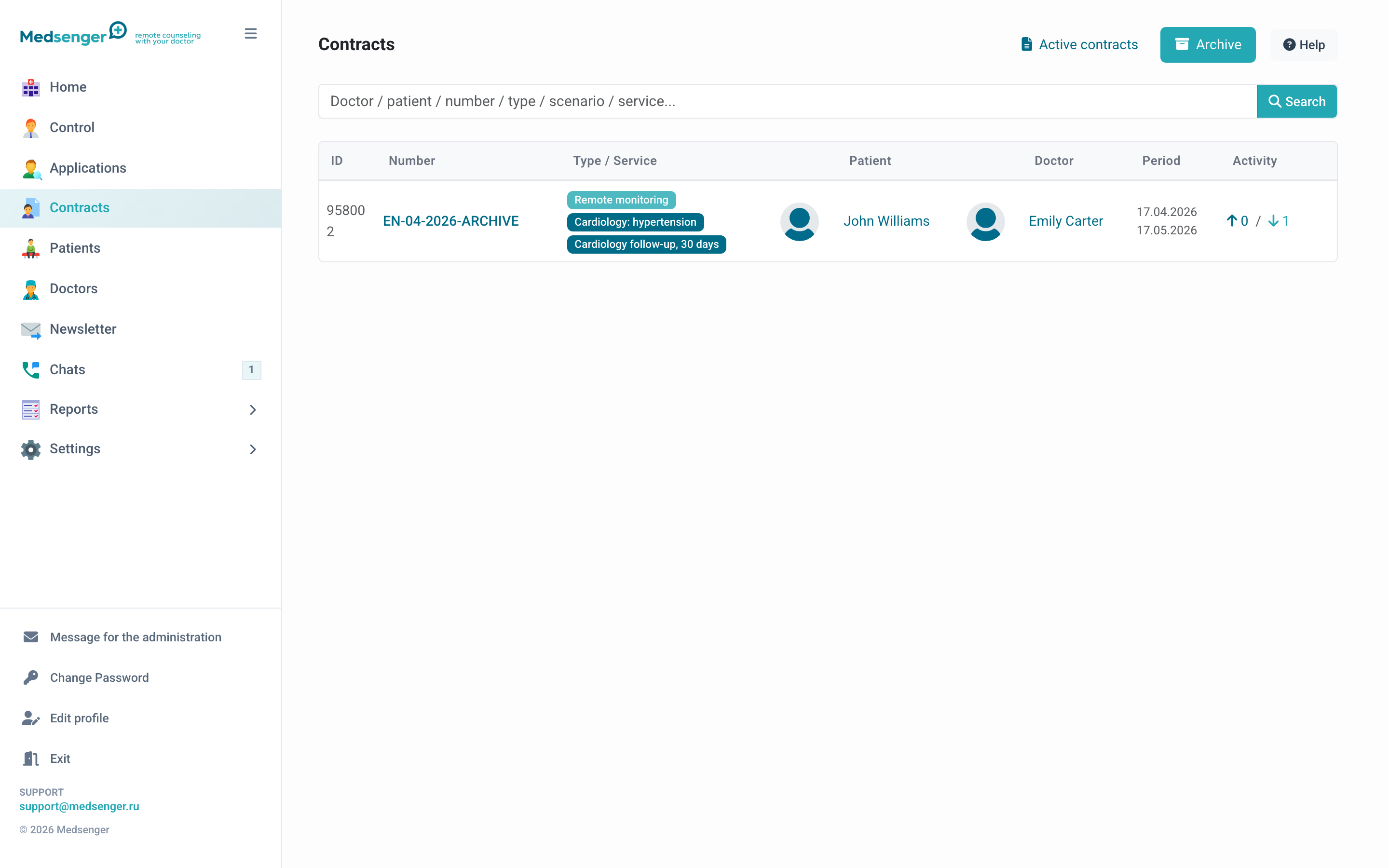
The archive is used to view history, documents, reviews, closing reason, and past periods.
If the patient needs support again, create a new consultation or reactivate the archived one if this option is enabled for the clinic. After reactivation, check period, doctor, response rule, and monitoring.
If an action is unavailable
If a button is missing, the reason is usually one of three:
- consultation is already completed;
- the action is disabled in clinic settings;
- your role has no permission for the action.
In this case, contact the clinic employee responsible for extended settings or Medsenger support.