How do I publish a service for online requests?
In online requests, the patient chooses a clear clinic service rather than an internal contract: specialty, observation period, doctor, and price if payments are enabled.
The service itself is created in clinic settings: how to create or edit a service. This article is only about how it works in a request.
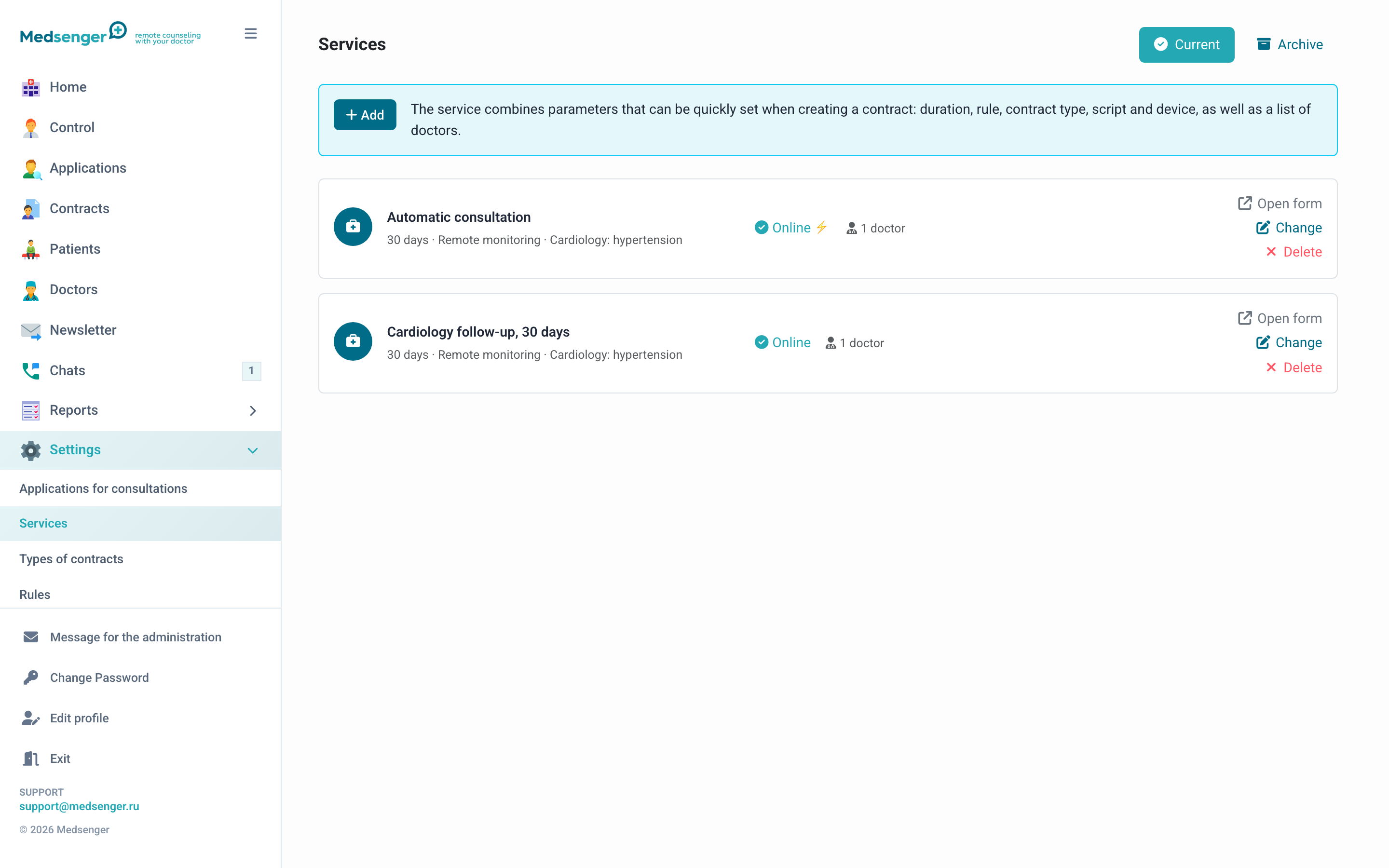
What the patient sees
If the service is available online, the patient sees it in the request form. After selection, Medsenger shows available doctors and asks for the data required by the clinic.
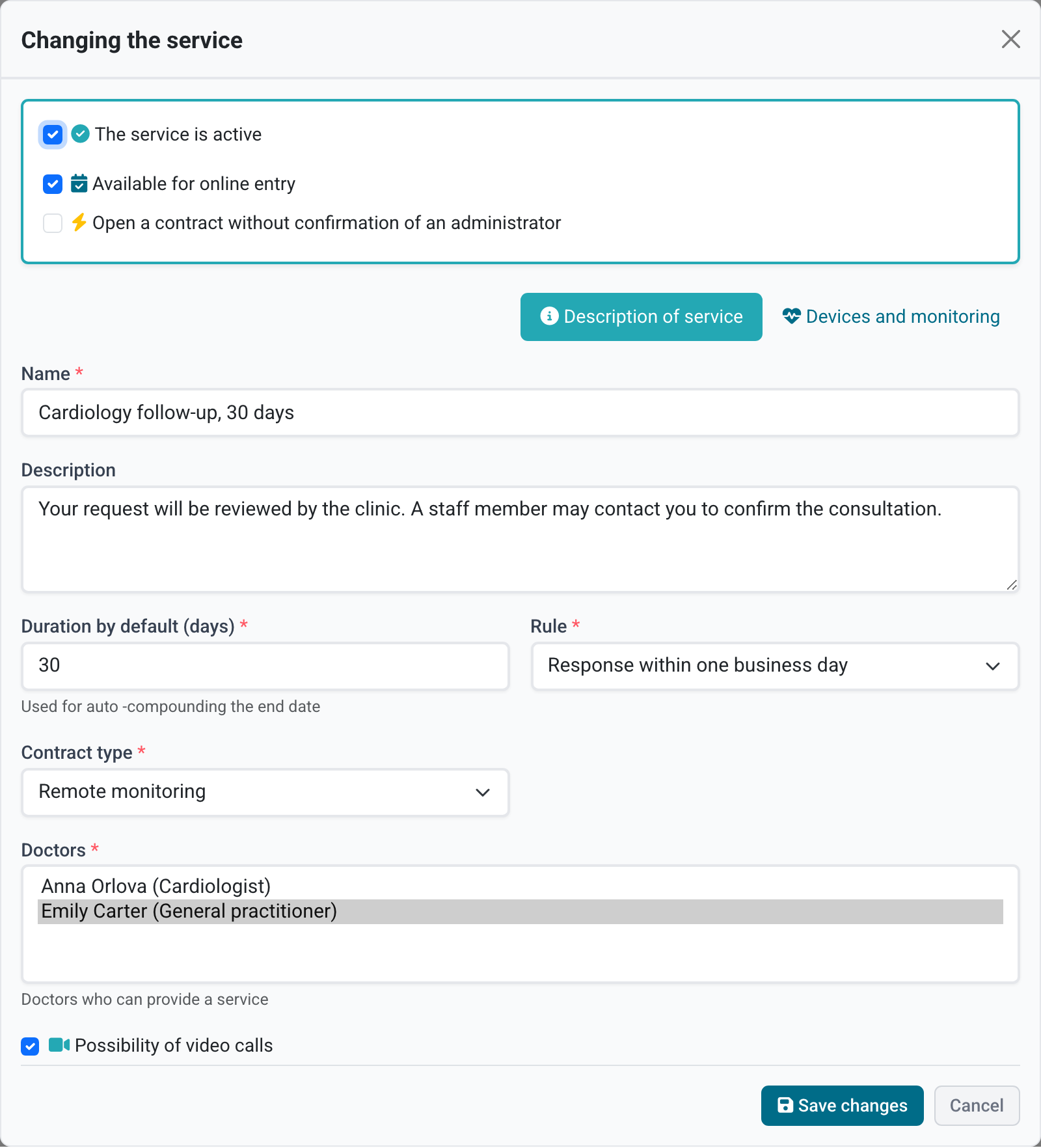
Check that the service name is clear without internal abbreviations, the period and price match the clinic website, and the service has at least one available doctor.
How the request opens
A service can work in two modes:
- manual confirmation: clinic staff checks the request, contacts the patient if needed, and opens the consultation;
- automatic opening: the consultation is created without manual processing if the patient fills in required data and meets payment conditions.
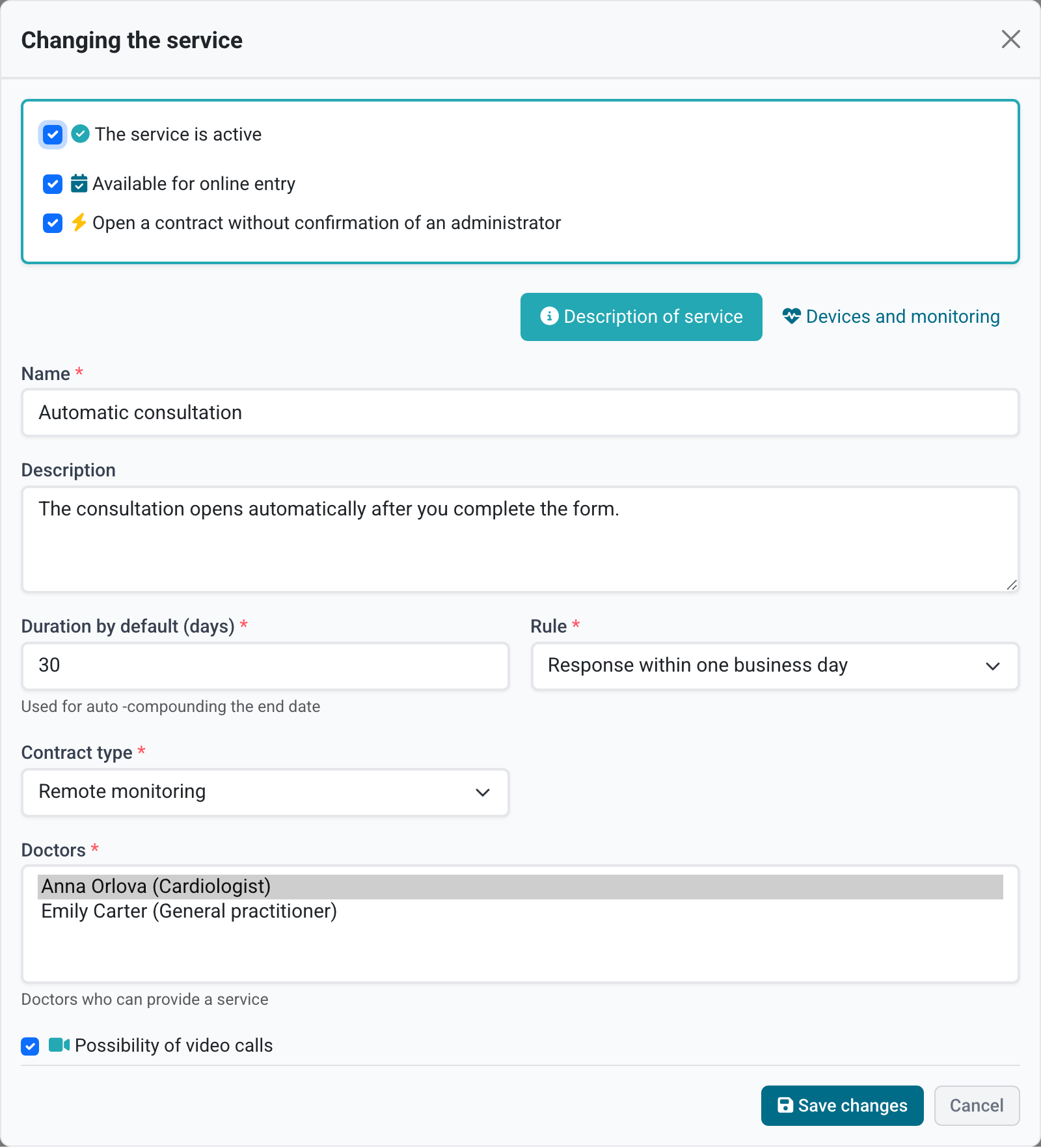
If the required mode or field is missing in settings, ask the clinic administrator to check permissions and enabled features.
Check before publication
- the service is not archived;
- online availability is enabled;
- the correct monitoring scenario is selected, if needed;
- the service has doctors the patient can choose;
- the price is correct if payment is used;
- a test request follows the expected path: manual confirmation, automatic opening, or payment.
After setup, go through the whole patient flow: what the patient sees in a request.