General settings
Settings -> General settings defines the clinic's main Medsenger parameters: how the clinic is shown to patients and doctors, which notifications are enabled, and which actions are available in consultations.
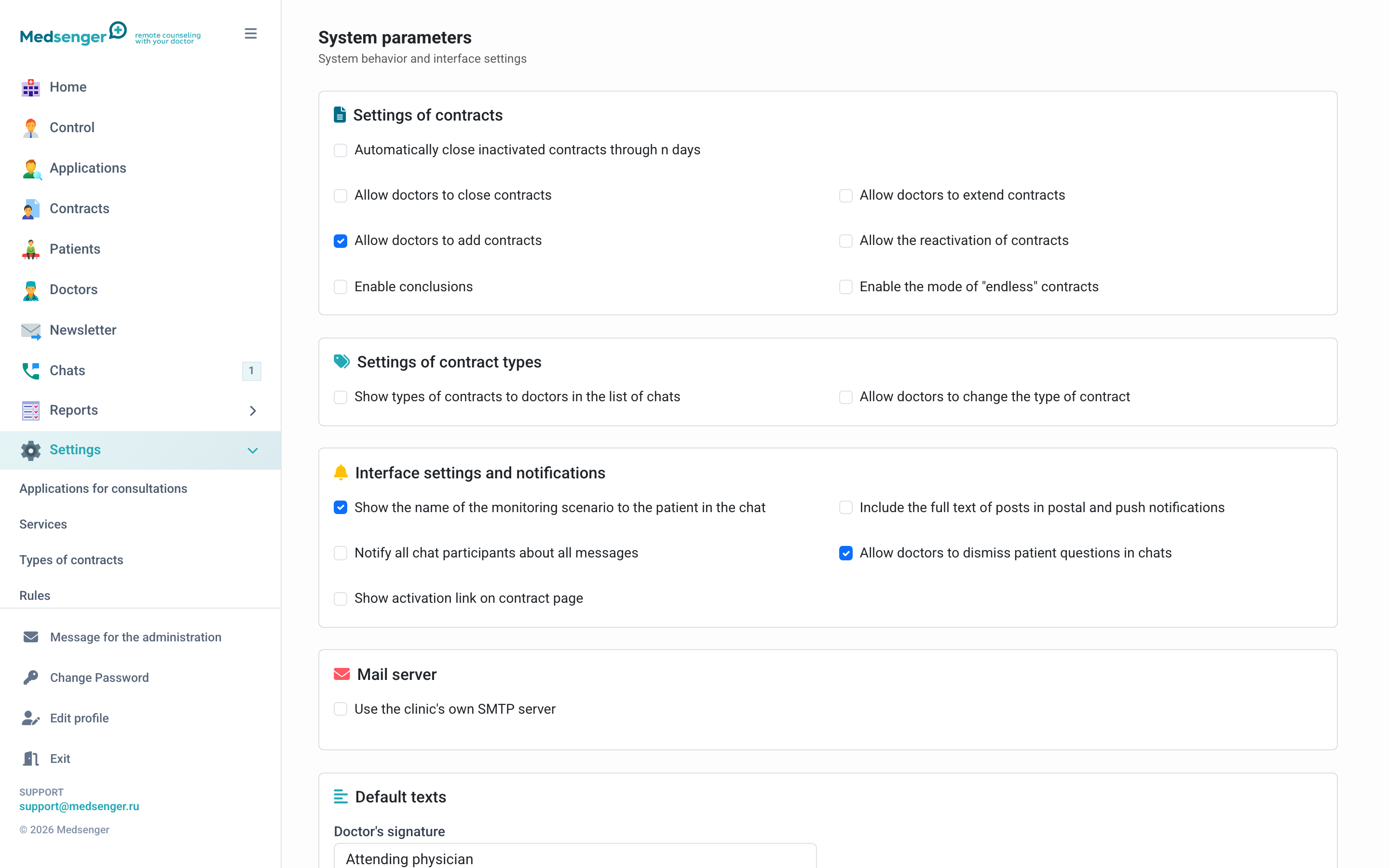
Clinic details
Check name, phone, address, logo, and default language. These details may be shown to patients in the booking form, emails, chat, or consultation interface.
If the public phone or address changes, agree the text in advance with the employees who answer patient requests.
Time zone
The time zone affects date display and doctor response deadline calculation. If the clinic works with patients from different regions, follow clinic regulations and separately check doctor response rules.
Changing the time zone may affect deadlines, reports, and schedules. If it is incorrect, contact Medsenger support.
Interface and access settings
General settings may include additional options:
- show monitoring scenario name to the patient;
- show activation link on the contract page;
- allow doctors to extend or close consultations;
- allow reactivation of archived consultations;
- use doctor assistants or patient representatives;
- allow registration and invitations by phone if SMS is connected for the clinic.
The setting set depends on clinic connection. If the needed option is missing, contact the clinic employee responsible for extended settings or Medsenger support.
Notifications
Here you set general notification rules: whether to send full message text in emails and push notifications, who receives message notifications, and how the clinic uses its own sender email if connected.
Full message text is convenient for users, but increases privacy requirements for mailboxes and phone screens. Enable it only if it matches your clinic's personal data rules.
After changing notifications, go through the checklist: notification check.
Default texts
Check doctor signature and welcome message. These texts are used in new consultations, so they should be clear to the patient and match the clinic style.
Do not add urgent medical instructions to the welcome message if they may become outdated or depend on diagnosis. Such messages are better sent by the doctor or monitoring scenario.
What changes immediately
Most general settings take effect after saving. Users with open pages may need to refresh.
Response rules, services, contract types, and scenarios usually affect new consultations or requests. If an existing consultation must be changed, open its contract page and check parameters separately.
Before changing settings
Before saving, check:
- who requested the change;
- whether it affects patients or only clinic employees;
- whether doctor response deadlines will change;
- whether extra information will become visible to patients;
- whether the setting affects online requests, payment, or SMS.