What is visible on the contract page?
The contract page is used when you need to check consultation details or perform an action that is not enough from the general list.
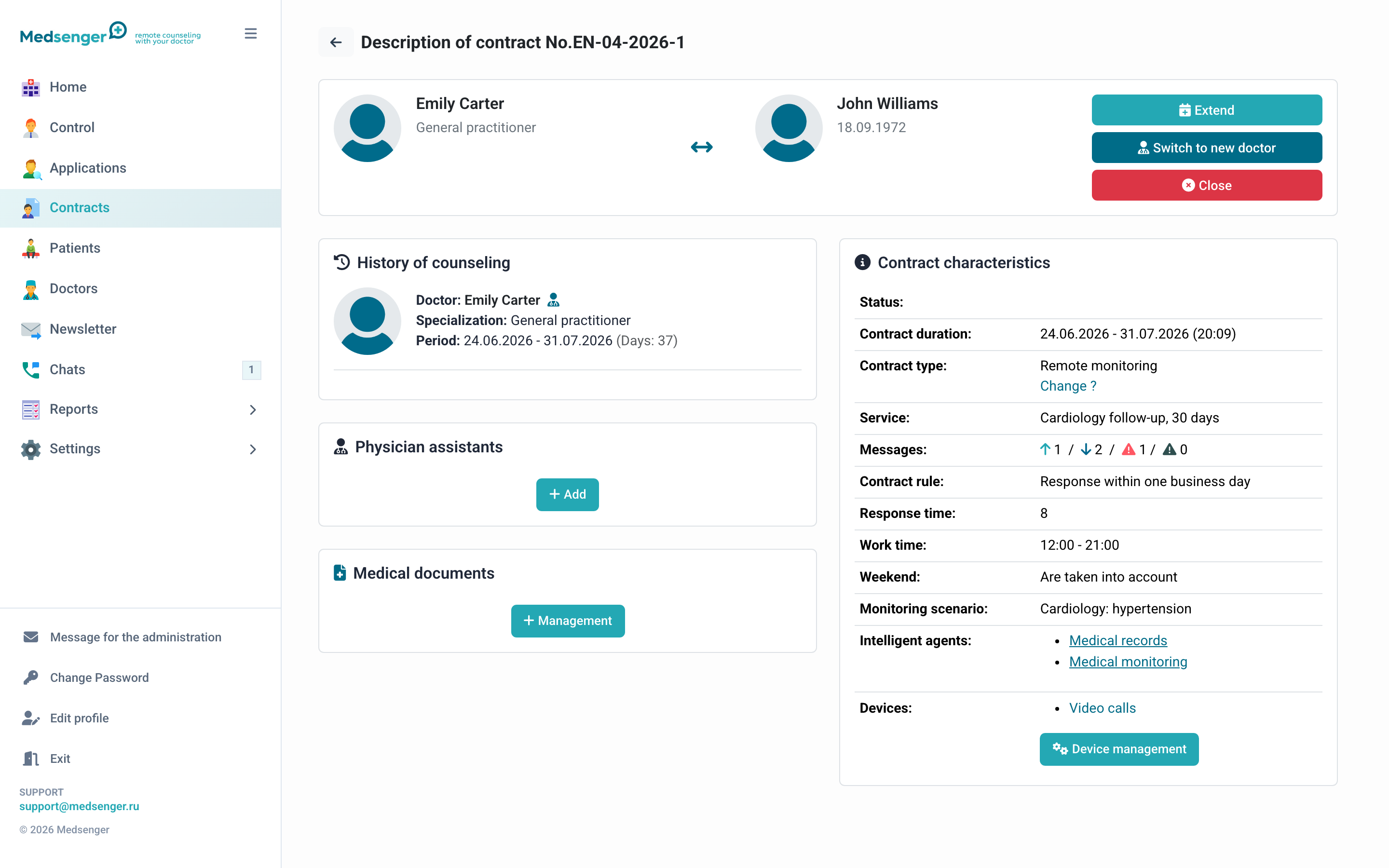
Main information
At the top of the page, check:
- patient and doctor;
- contract number;
- start and end date;
- patient activation status;
- contract type;
- response rule;
- service and monitoring scenario.
If the patient or doctor says the consultation does not open, start with these fields.
Consultation states
Active consultation is available to the patient and doctor.
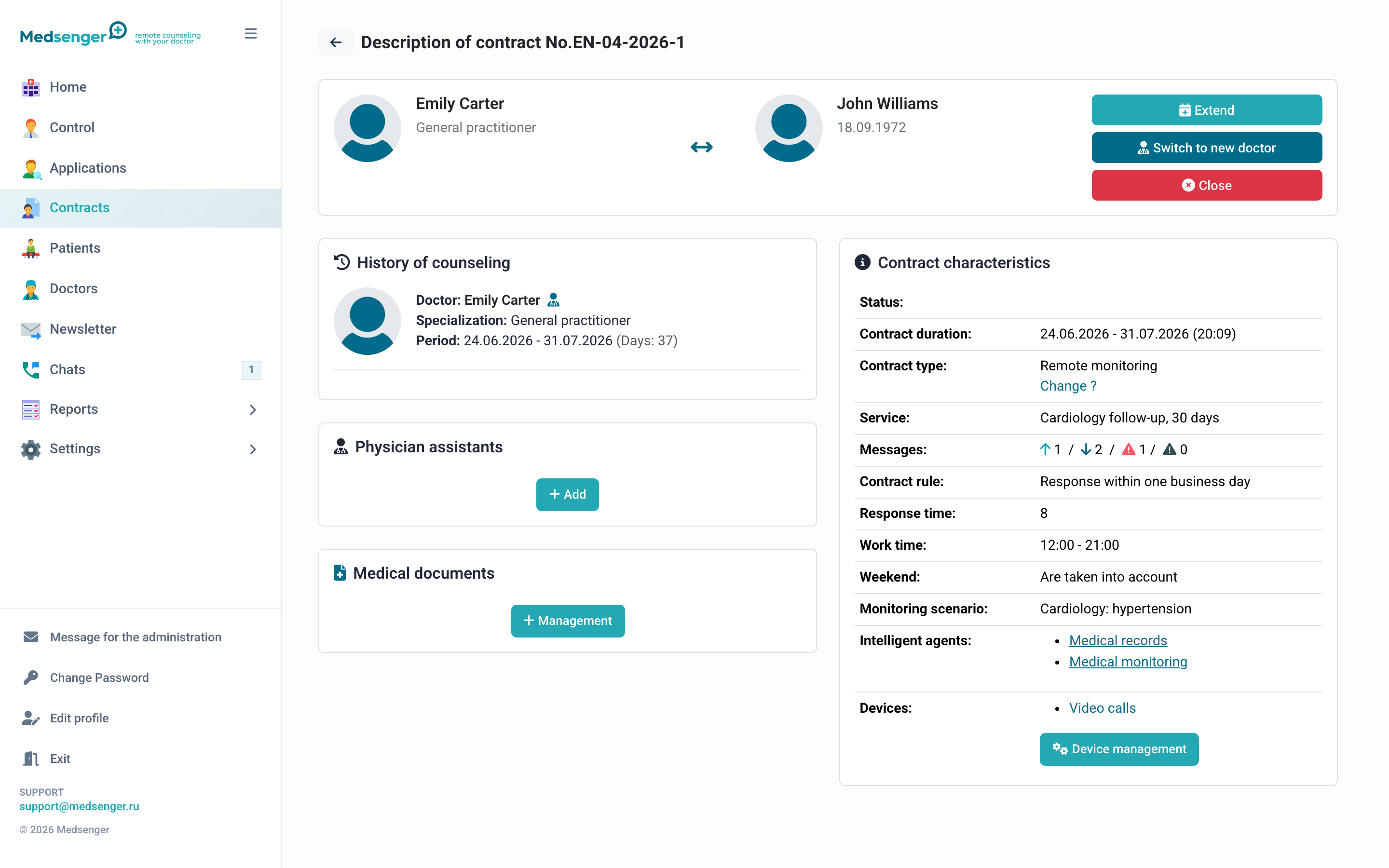
Consultation without monitoring works as a chat with the doctor, but without additional tasks and charts.
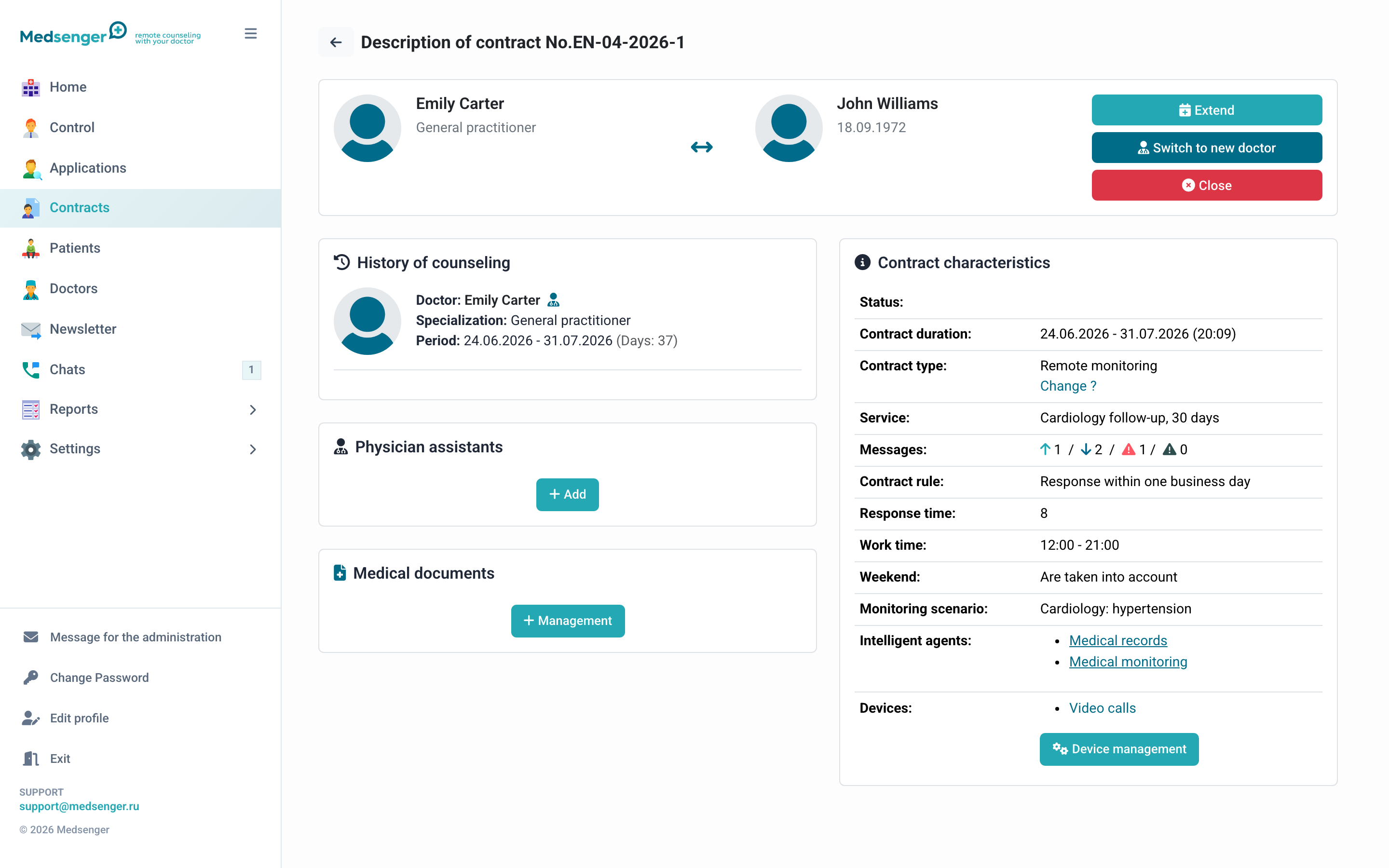
Archived consultation is available for viewing history. Work actions are limited.
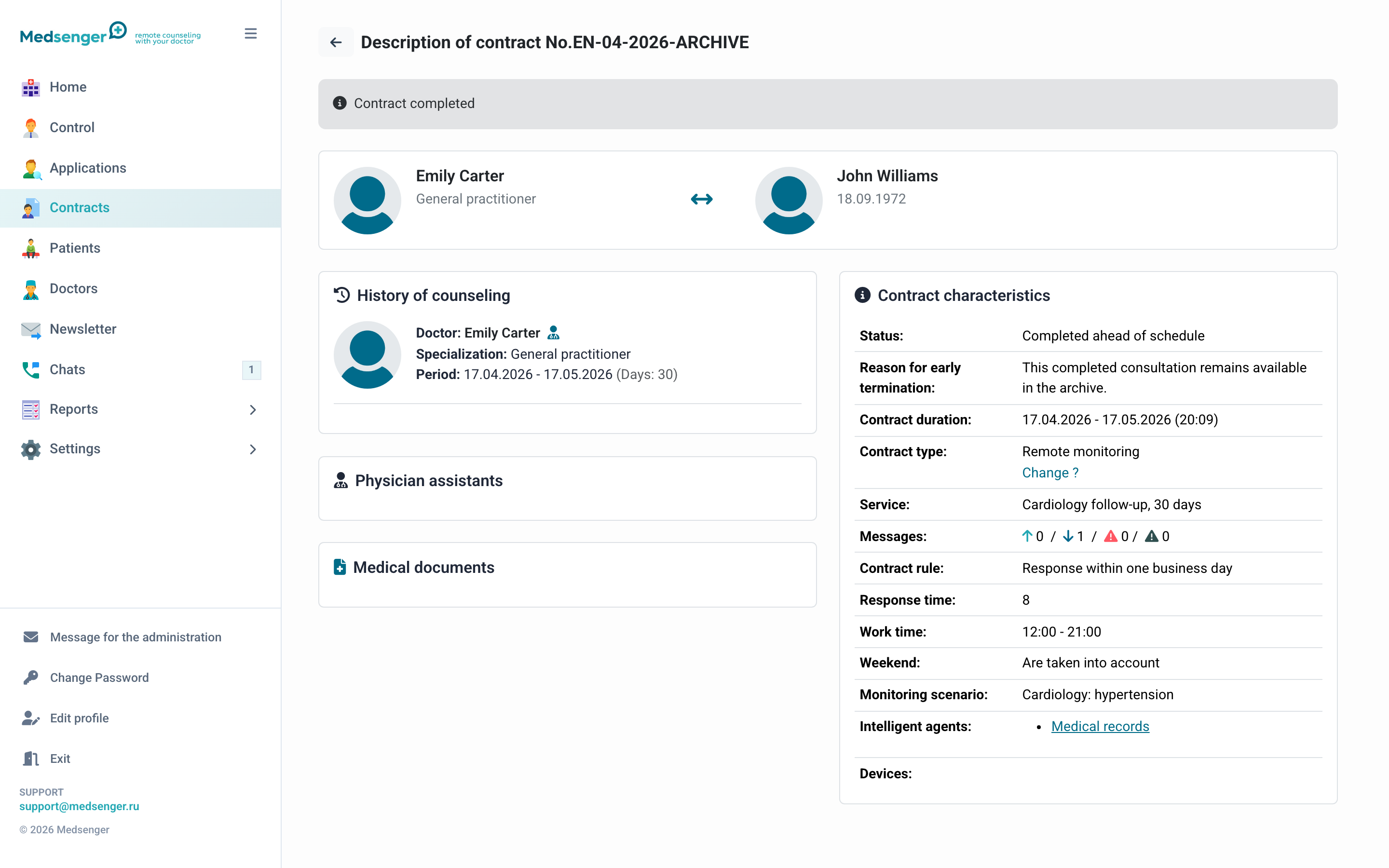
What can be changed
The action set depends on clinic settings and consultation status. Usually, on the contract page you can:
- extend the period;
- change doctor;
- close the consultation early;
- resend the invitation to the patient;
- upload medical documents for the doctor;
- change type or response rule;
- connect or check monitoring scenario;
- reactivate an archived consultation if allowed for the clinic.
Before closing or changing the doctor, make sure the patient received a clear notification and the doctor completed current questions.
Documents and history
Medical documents on the contract page are visible to the doctor and administrator, but not to the patient. Do not use this section for memos that the patient should open themselves.
Consultation history helps understand who created, extended, closed, or changed the consultation and when.
When to open the contract page
Open the contract page if:
- patient does not see the consultation;
- doctor does not see the patient;
- you need to change doctor or extend period;
- monitoring actions did not appear;
- you need to check documents;
- request or payment did not create the consultation automatically;
- you need to understand why the consultation is in the archive.