Response SLA
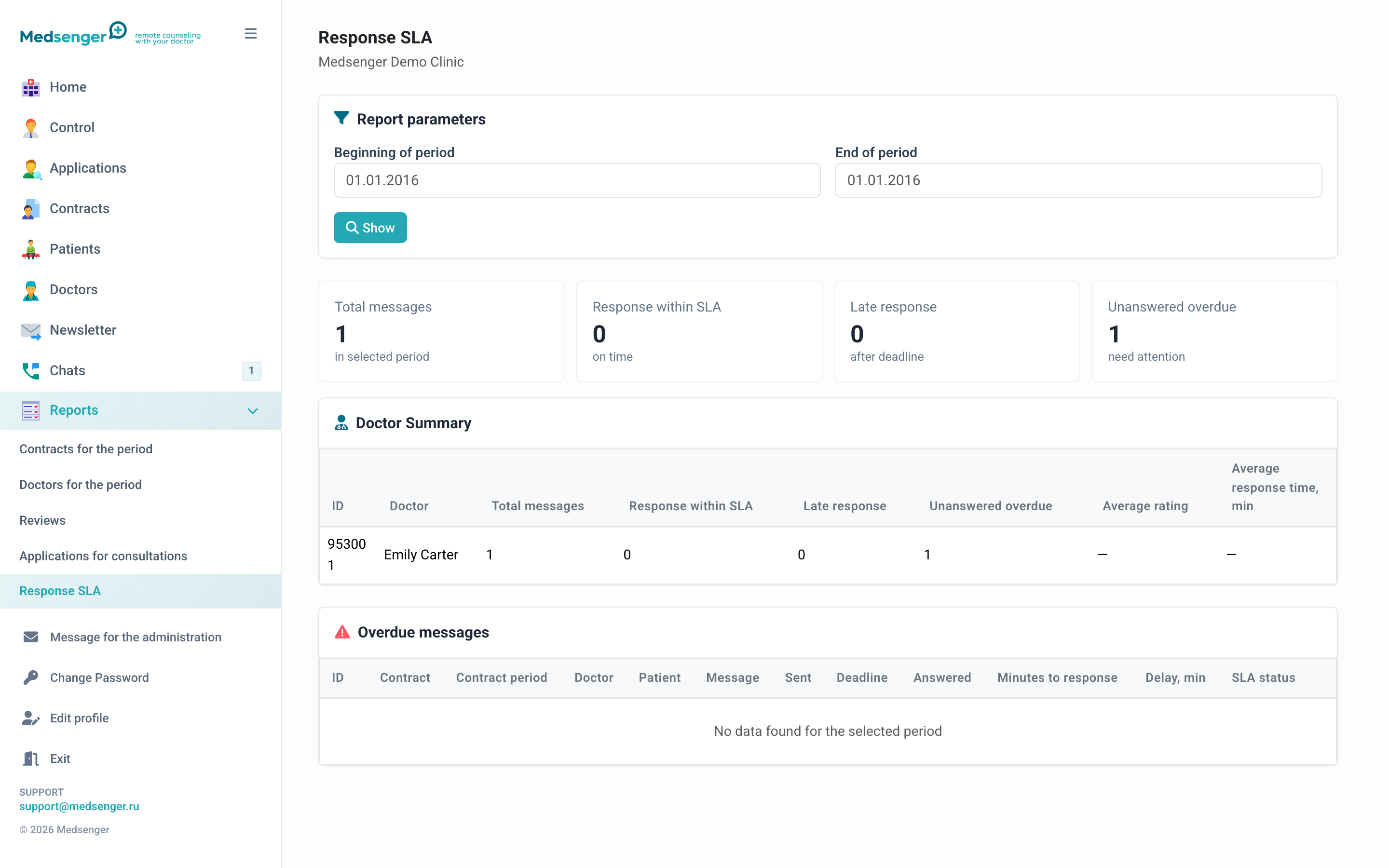
The report shows how the clinic follows doctor response rules: how many requests were processed on time, where overdue responses occurred, and which doctors need checking.
When to use it
Open the report regularly if the clinic has patient response regulations. It helps see the overall picture by doctors and periods without opening each contract manually.
What to look at
First select a period. Then check:
- how many patient messages required an answer;
- how many answers were given on time;
- where overdue responses occurred;
- which doctors or contract types have repeated overdue responses;
- whether the deviation is related to doctor vacation, incorrect response rule, or doctor change.
How to use the result
If overdue responses are isolated, open the corresponding contracts and check the conversation. If overdue responses repeat for one doctor or specialty, clarify work schedule, response rule, and doctor workload.
The report does not replace medical supervision of the conversation: it shows timing, but does not evaluate answer quality.