Data export
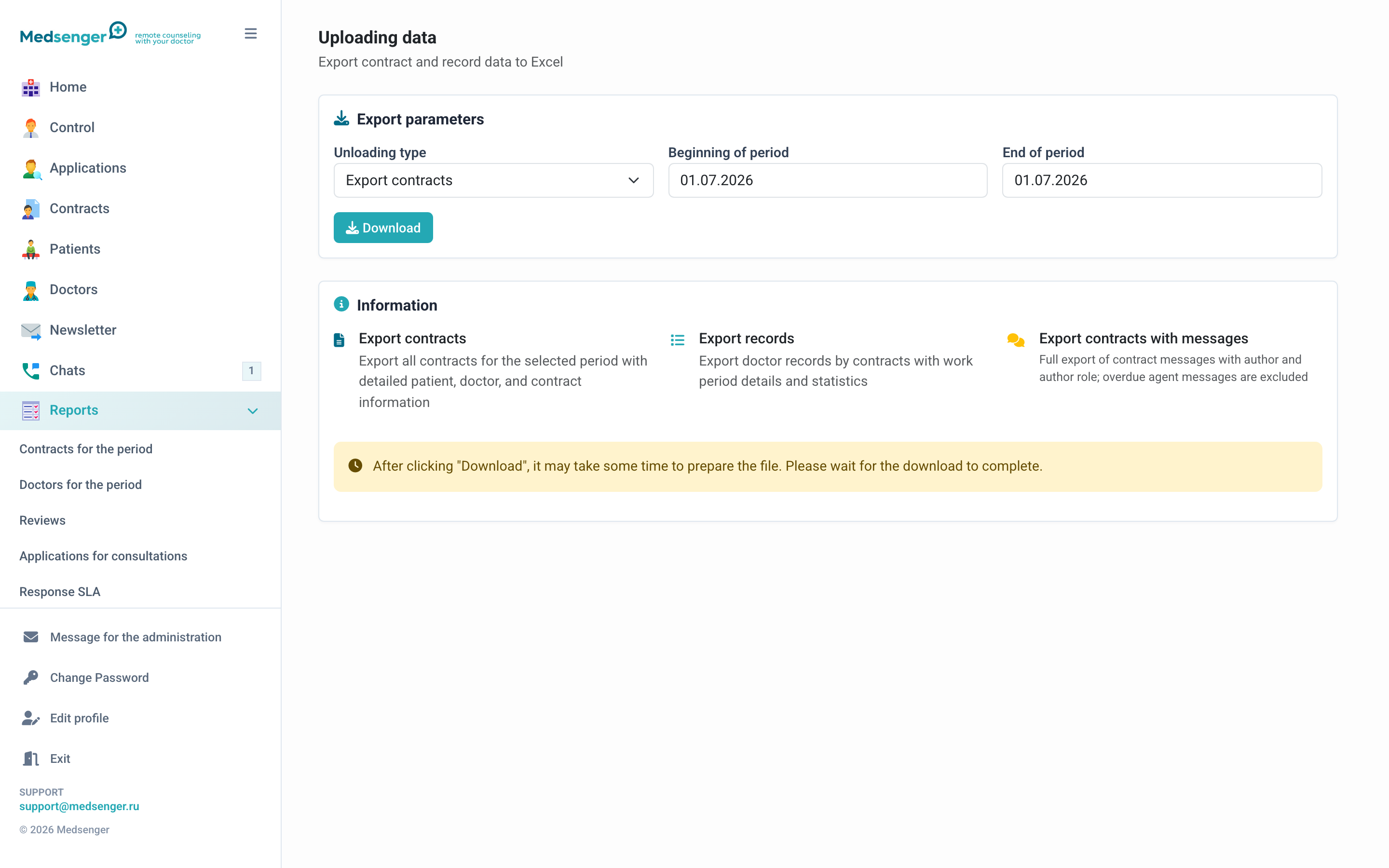
The Export section lets you download clinic data for internal analytics. Usually, export is used to reconcile contracts, medical records, and prepare reports in spreadsheets.
When to use it
Export is needed if standard reports are not enough:
- a summary must be built by your own rules;
- a clinic analyst prepares a report in Excel or a BI system;
- data for a large period must be checked;
- contracts, doctors, patients, and monitoring results must be compared.
How to choose parameters
Choose export type and period. For regular management reporting, a calendar month usually works. For medical analysis, choose the patient observation period or monitoring program period.
If the period is not specified, the file may be large and take longer to prepare. Use the full period only when it is really needed.
What to check after downloading
After downloading the file, check:
- the period matches selected dates;
- only your clinic is included in the export;
- data opens in your spreadsheet or analytics system;
- Russian names and titles display correctly;
- the file is shared only with employees allowed to work with personal and medical data.
How to work with personal data
The export may contain patients' personal and medical data. Store the file according to clinic rules, do not send it through personal messengers, and delete temporary copies after processing.
If export is needed regularly, define the responsible employee, frequency, storage location, and file deletion period in internal regulations.