What is visible on the doctor page?
Open the doctor page when you need to check profile, activation status, workload, online booking, or change doctor status.
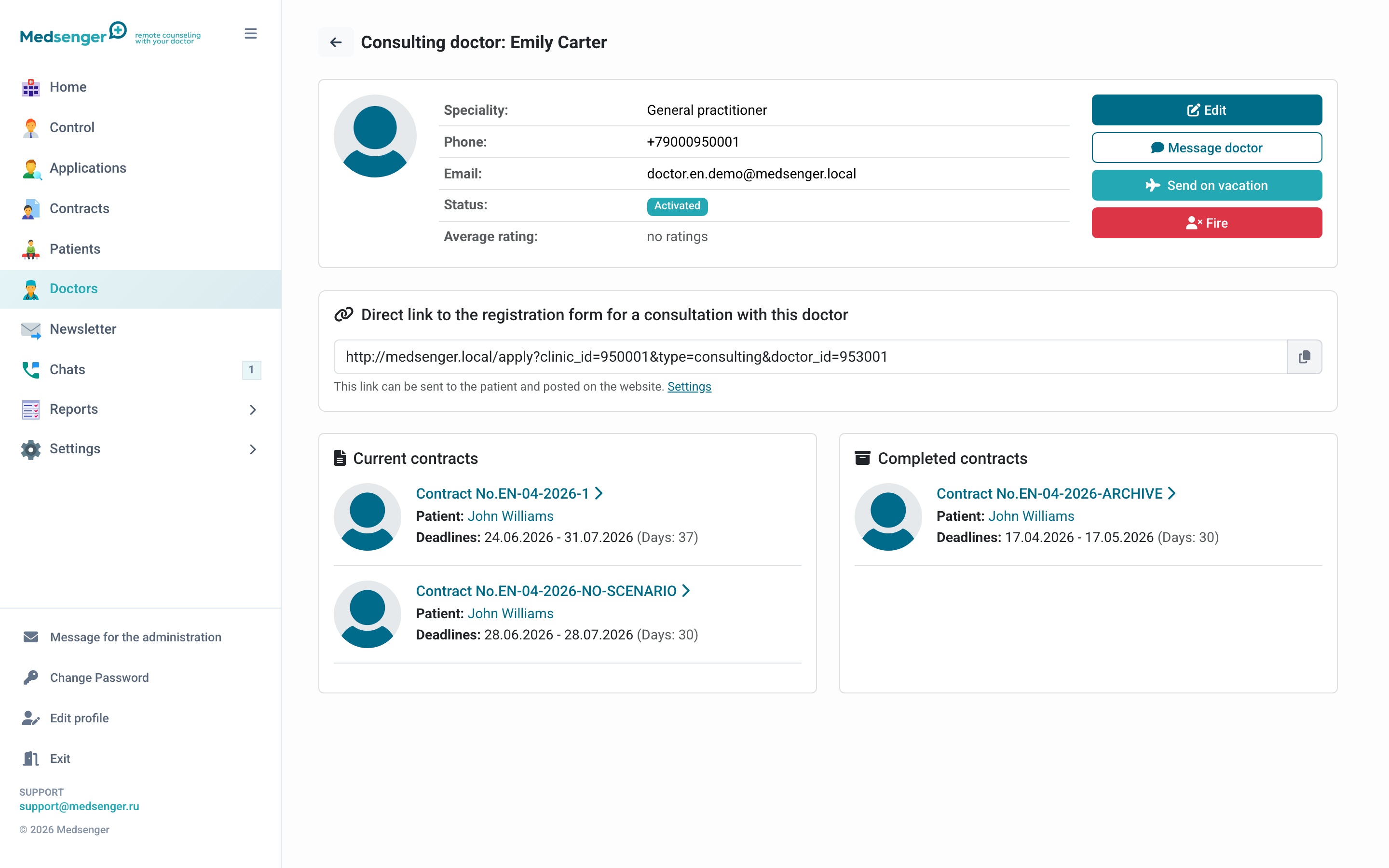
Profile
In the profile, check:
- full name;
- specialty;
- photo;
- doctor email;
- account status;
- vacation or dismissal status;
- average rating if patients left reviews.
The doctor's email is used as login. If the doctor has already activated the account and the login must be changed, contact Medsenger support.
Actions
The doctor page usually contains:
- profile editing;
- resending invitation if the doctor is not activated;
- sending on vacation and returning from vacation;
- dismissal;
- viewing the doctor's active consultations.
Before vacation or dismissal, check active consultations: patients should be transferred to another doctor or notified according to clinic rules.
Online booking with a doctor
If doctor booking is enabled, the page shows a direct booking form link. It can be placed on the clinic website or sent to a patient.
The patient will see the doctor in the booking form only if the doctor is active, not hidden from booking, has filled public data, and is linked to a suitable service if booking goes through services.
If there is no booking link or settings, check doctor and service settings. If the clinic needs online booking but the needed option is missing in the cabinet, contact the clinic employee responsible for extended settings or Medsenger support.
ESIA identification
If ESIA identification is enabled in the clinic, the doctor page may show identity confirmation status.
Passport details are entered for identification. They are used for verification and should not be sent through unsecured channels.
When to open the doctor page
- doctor did not receive the invitation;
- doctor cannot log in;
- patient does not see the doctor in the booking form;
- you need to evaluate doctor workload;
- you need to send the doctor on vacation;
- you need to transfer patients before dismissal;
- you need to check a direct booking link for the doctor.