How do I activate my account and log in?
Use this guide after the clinic has created a consultation or confirmed your request. If you do not yet know how to get a consultation, start with how to get a consultation.
Important: before logging in to the website or mobile app, first activate your account using the link from the clinic email or SMS.
Activate the account
- Open the invitation email or SMS.
- Click the activation link.
- Check the email or phone number and full name on the activation page.
- Create a password and repeat it.
- Accept the required consents if the clinic has configured them.
- Click Start.
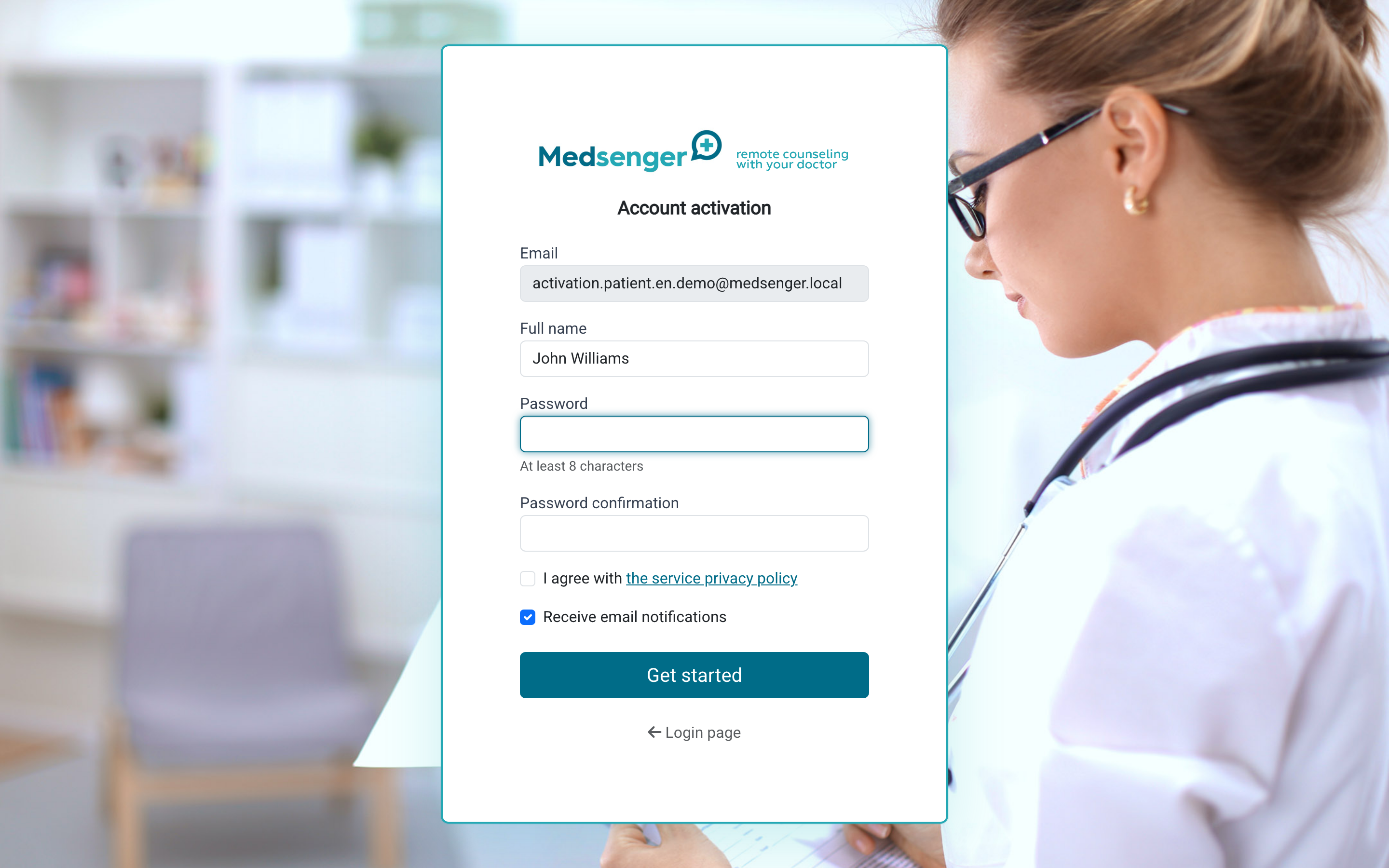
The activation link opens access to your medical conversation. Do not forward the invitation to other people. If a relative needs separate access, ask the clinic to add it: relative access.
Log in after activation
Log in at chat.medsenger.ru or in the Medsenger mobile app: iOS or Android.
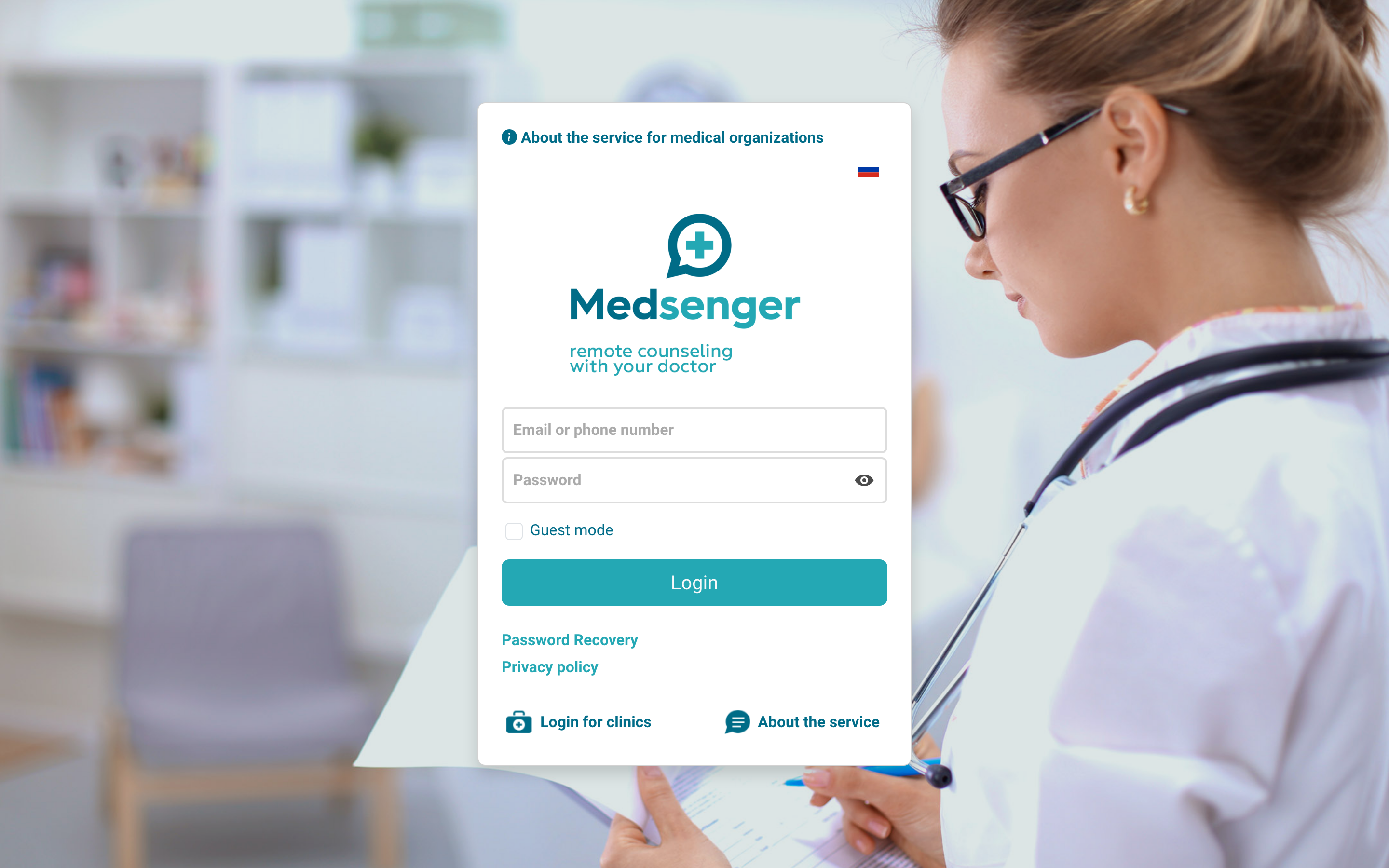
Your login depends on how the clinic sent the invitation:
- if the invitation came by email, the login is your email;
- if the invitation came by SMS, the login is your phone number;
- the patient's full name is not used as a login.
The password is the one you set during activation.
What opens after login
If an active consultation has already been created, you will see the subscription list and can open the chat with the doctor.
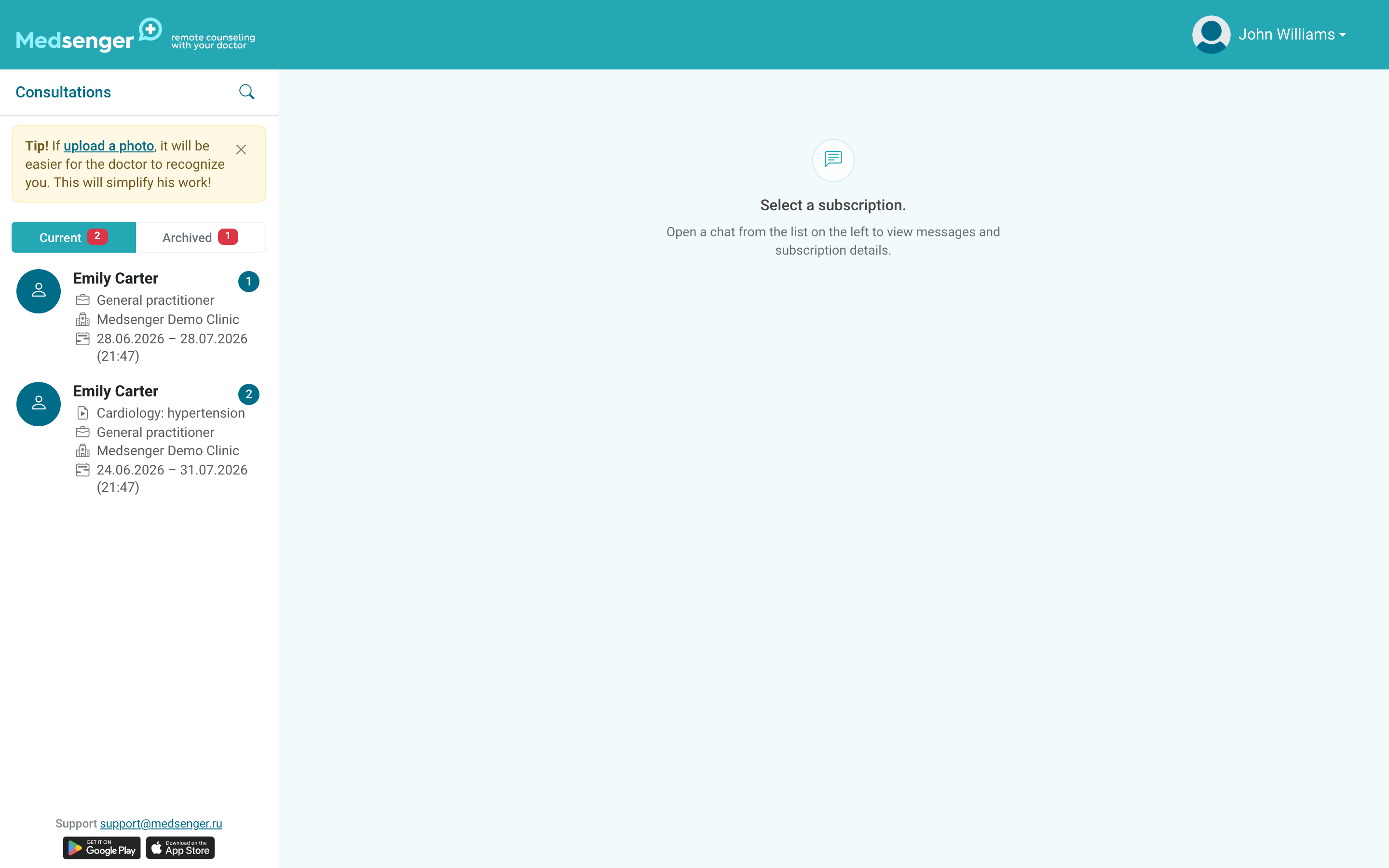
If the needed doctor is missing, do not register again. Check the separate guide: consultation or doctor is missing.
If the invitation did not arrive, the activation link does not open, or the password does not work, use I cannot log in.