How do I complete a training session?
Your recovery plan may include home training sessions. The doctor or clinic selects the exercises, their order, and duration in advance.
How do I start a session?
Open the reminder in the chat and select Start training.
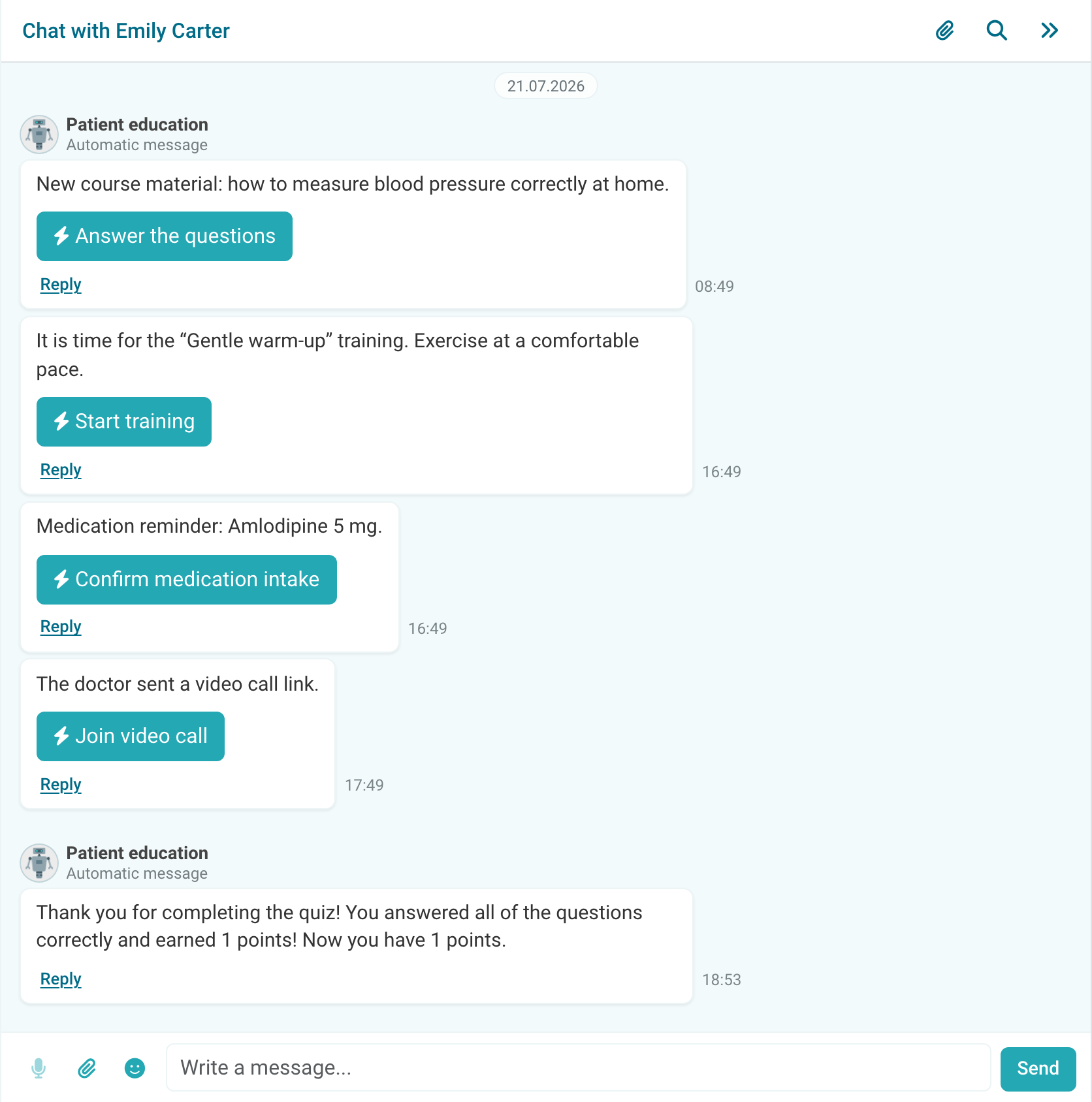
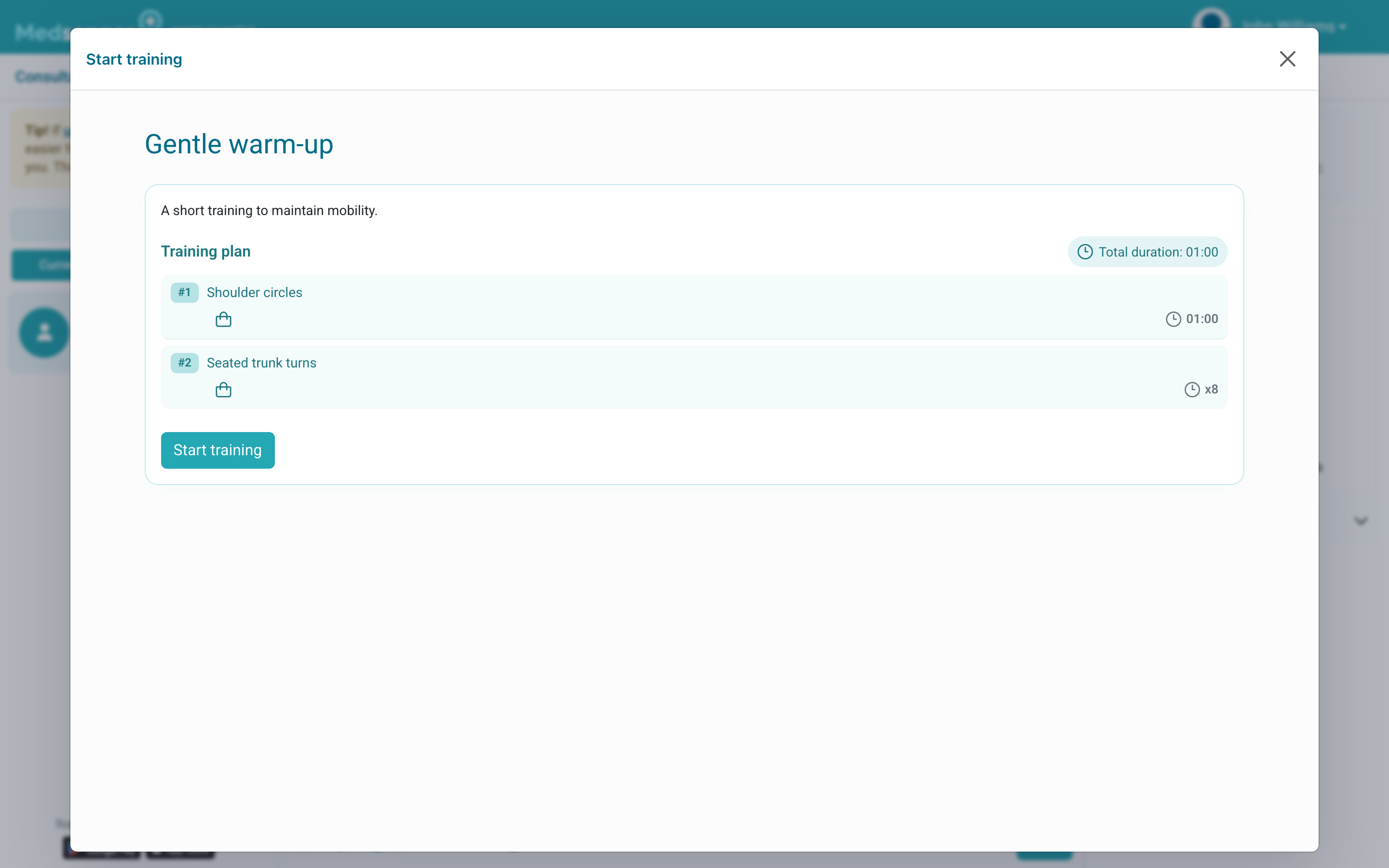
Read the description before starting and make sure you have enough space and any required equipment.
How do I perform the exercises?
The screen shows the training plan. Select Start training, then follow the exercises in order. Each step shows a duration or number of repetitions, instructions, and an image or video when available.
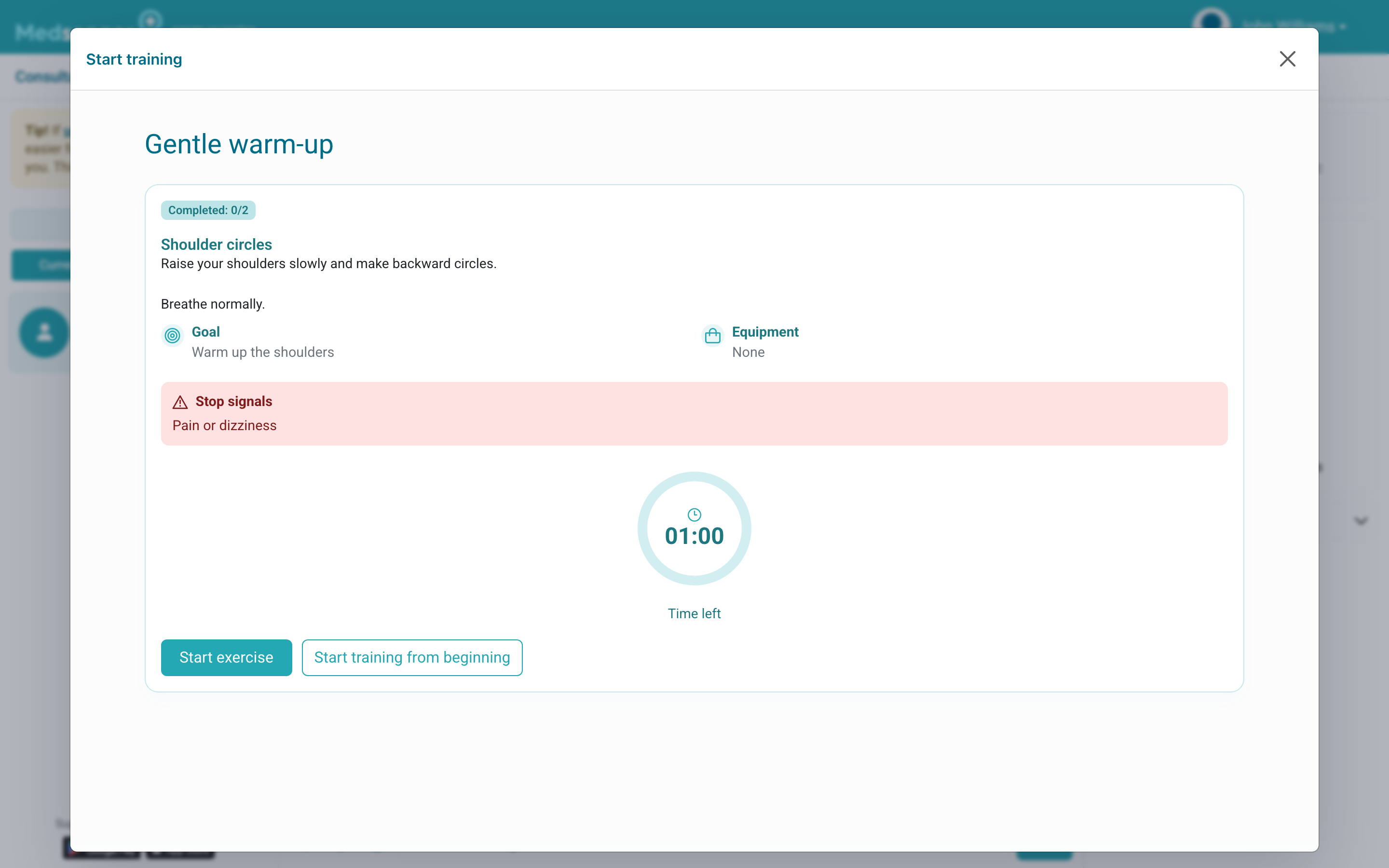
Select Start exercise. For a timed exercise, wait until the timer ends. For a repetition-based exercise, enter how many repetitions you completed. Then select Next. Breaks are shown as separate steps.
How do I finish the session?
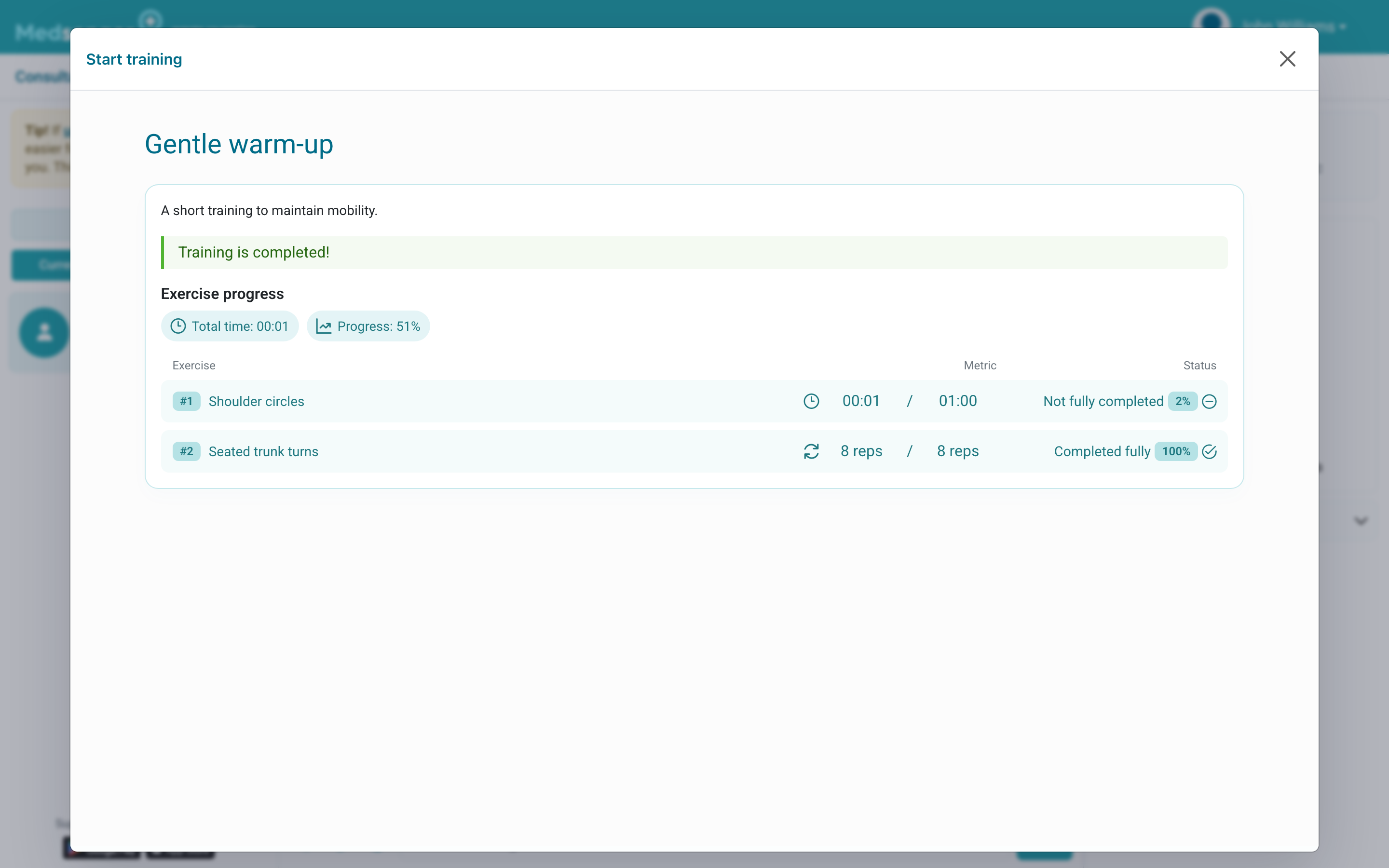
After the final exercise, Medsenger shows a summary. Check that the session is marked complete. You may also be asked to complete a short wellbeing questionnaire.
Important: stop the session if you feel unwell or notice unusual symptoms, and contact your doctor through the channel recommended by your clinic.