What is Medsenger?
Medsenger is a service for remote consultations with a doctor. You can message your doctor, receive tasks, fill in questionnaires, mark completed assignments, join video calls, and view monitoring results if these features are enabled for your consultation.
What is a consultation?
A consultation is a medical service provided by a doctor or clinic. In Medsenger it is shown as a subscription: a card with the doctor, clinic, access period, messages, and available actions.
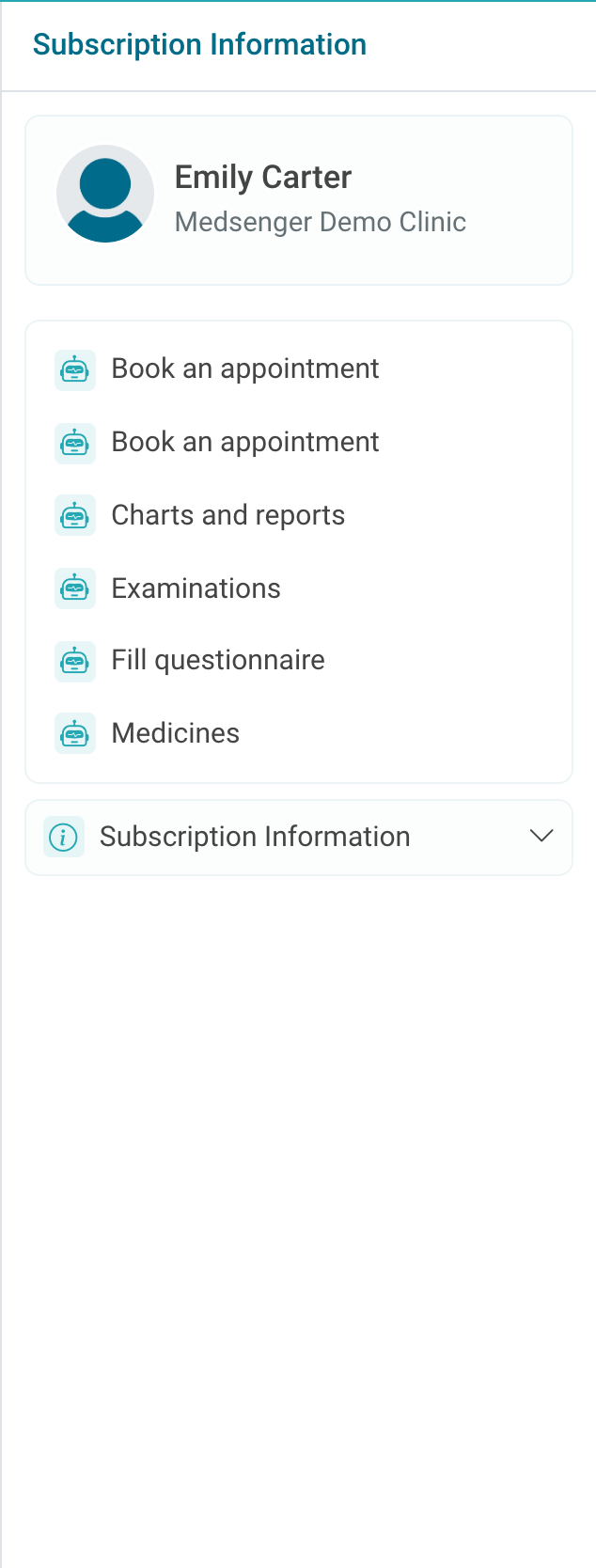
Usually, the clinic opens a consultation after an appointment, an in-person visit, or payment for the service. In some clinics you can submit an online request: the consultation may open immediately, after payment, or after clinic confirmation.
What can you do in Medsenger?
The main workspace is the chat with your doctor. It contains messages, files, notifications, monitoring tasks, and video call links.
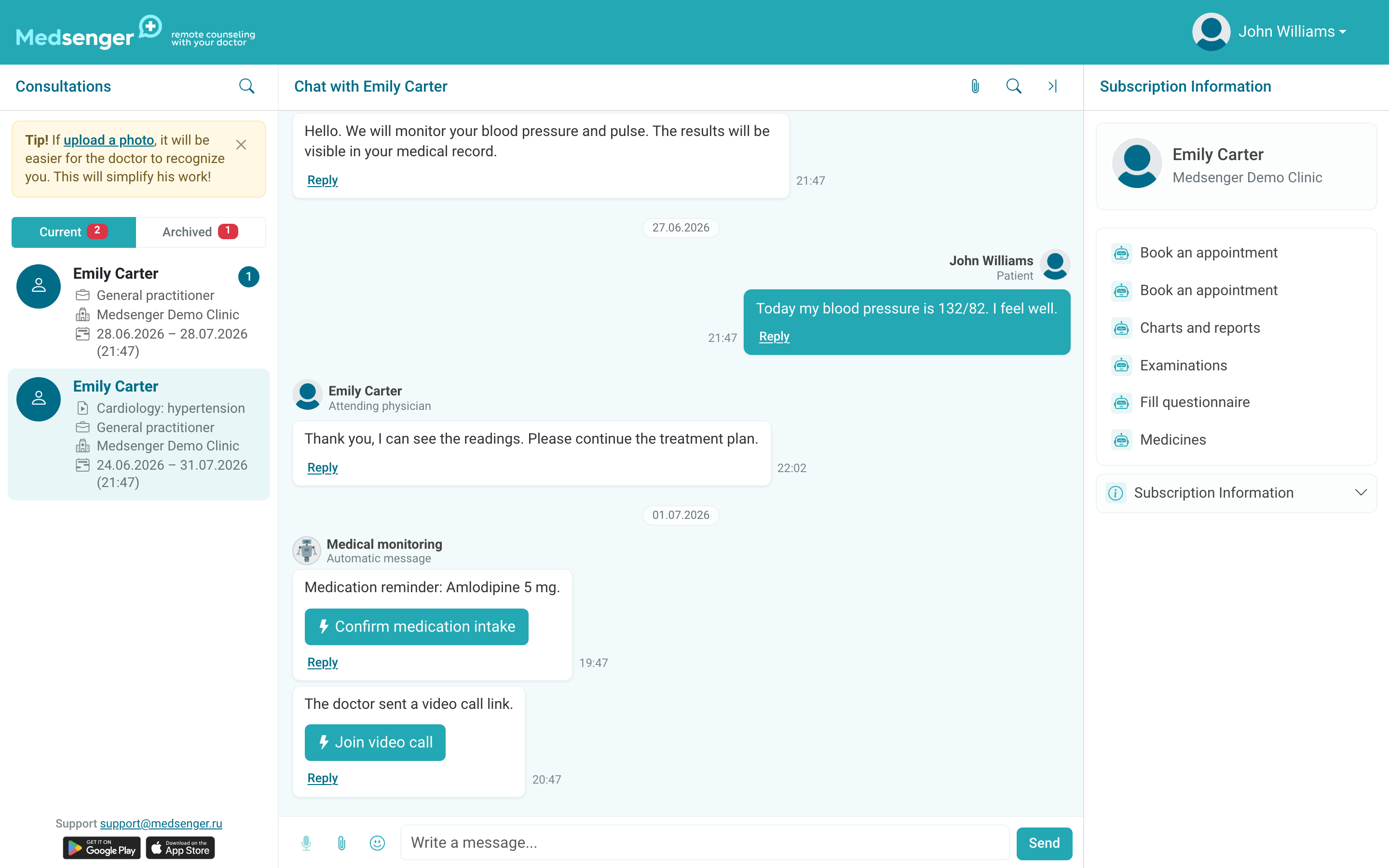
If monitoring is enabled, the right panel may show buttons for questionnaires, measurements, medications, examinations, devices, charts, and reports. A task is an action expected from you: fill in a form, enter a measurement, mark that you took a medication, or send an examination result.
Where can you view data, and who can see it?
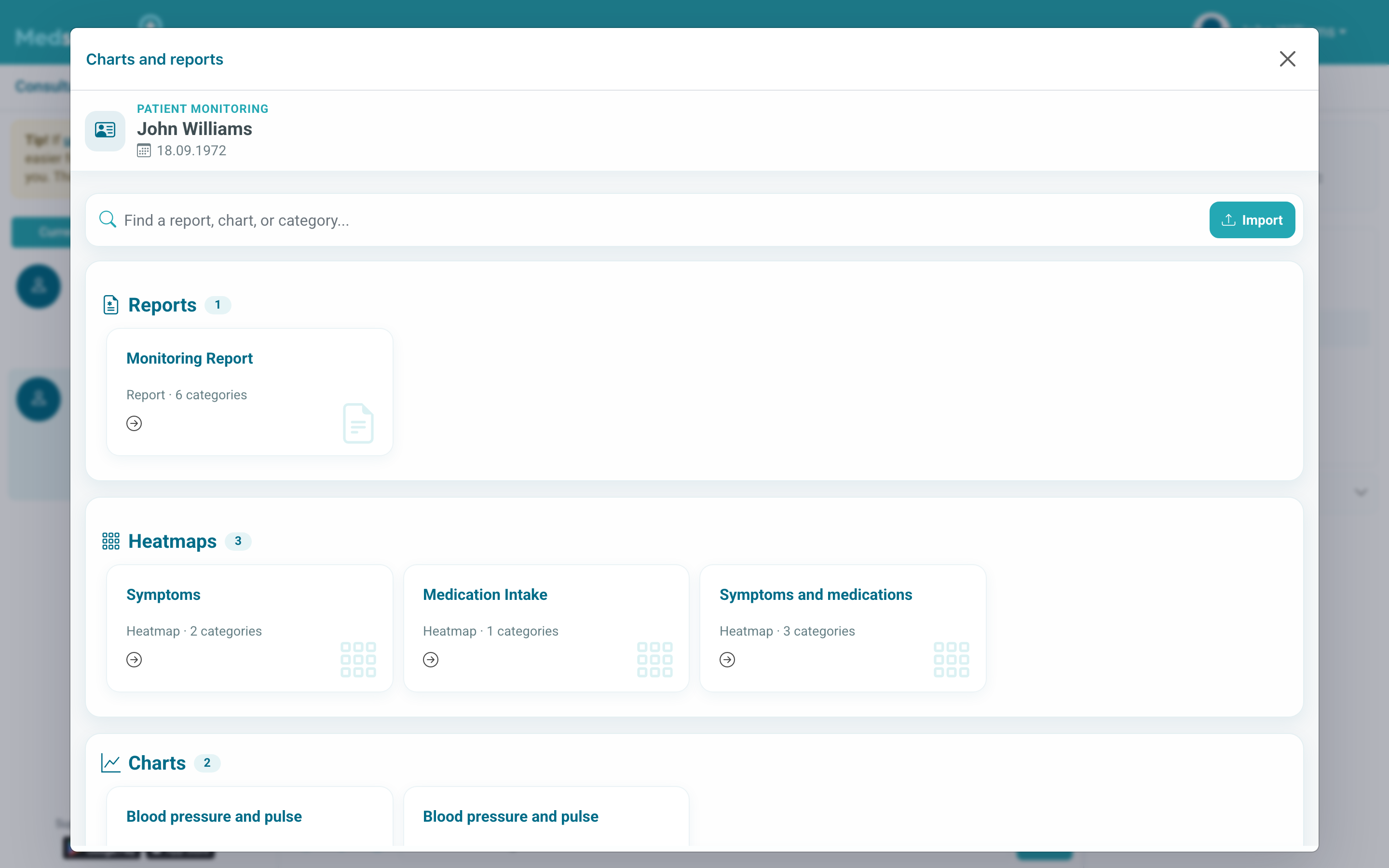
If access to medical records is enabled, measurements are available through Charts and reports. Data appears after you submit questionnaires, measurements, medication marks, or device synchronization.
The clinic-side participants of the consultation and people officially granted access by the clinic, such as a legal guardian, can see the chat and data. Do not share your password with other people.