How do I review a consultation?
Open a consultation from the supervision queue to determine whether a message needs a response and how the doctor handled the patient's request.
How do I select a consultation?
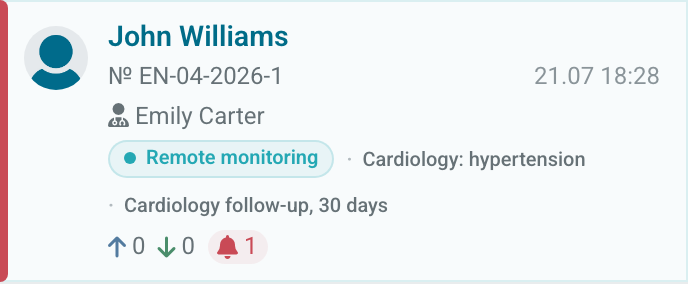
Search by patient name, doctor, or consultation number. Before opening a card, check the numbers of questions, answers, overdue messages, and emergency alerts.
What should I check in the conversation?
Open the consultation and read the latest messages in order. Check:
- what the patient asked;
- whether a relevant doctor response follows the question;
- whether an earlier question remains unanswered;
- whether the doctor reacted to a monitoring alert;
- whether the clinic's response deadline was met.
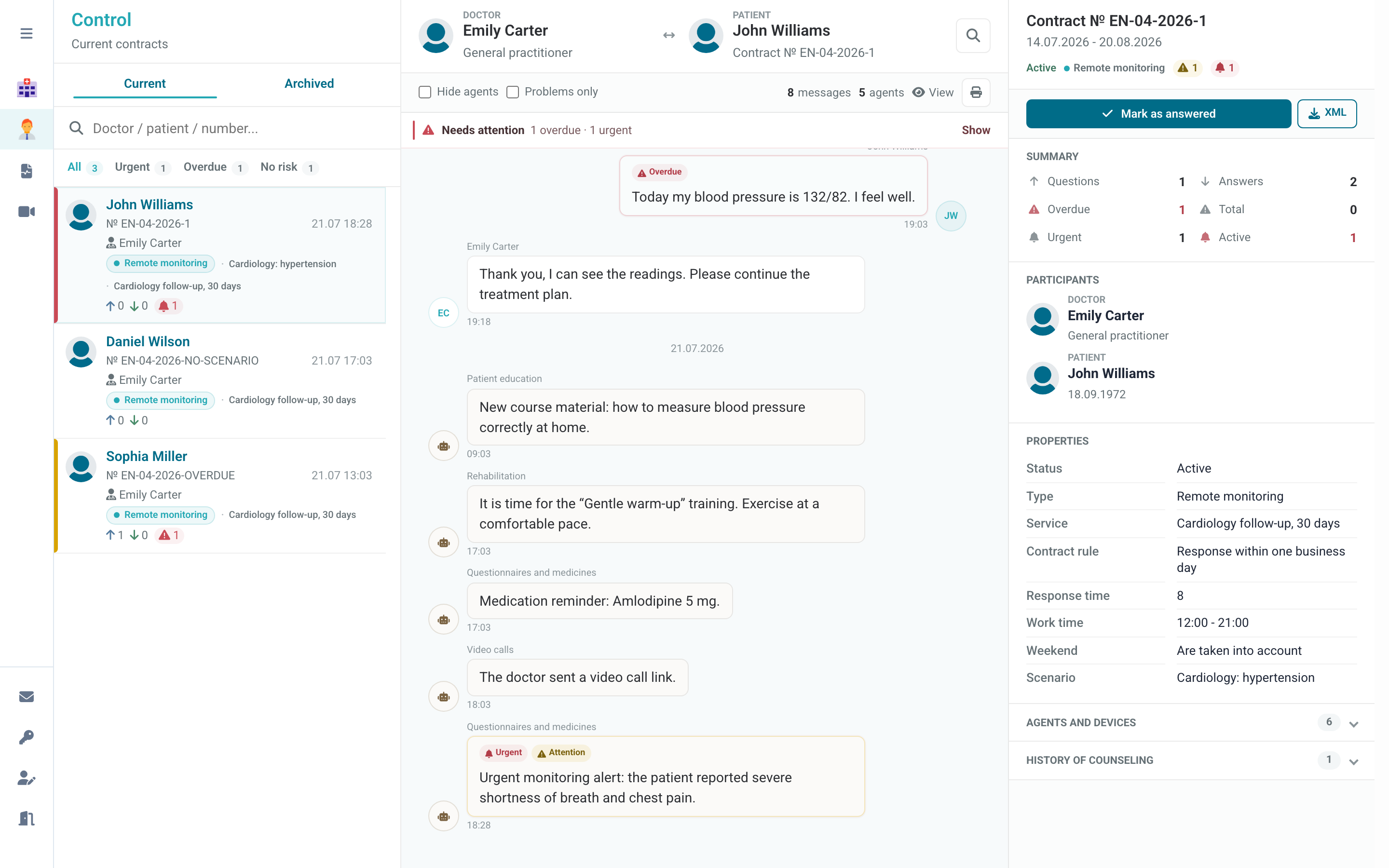
Turn on Problems only to keep messages with an overdue response or alert. Hide agents removes automated messages and helps you focus on the conversation between the doctor and patient.
Use your clinic's quality rules. The counter identifies a response and its timing, but it does not assess the clinical content.
When should I resolve messages?
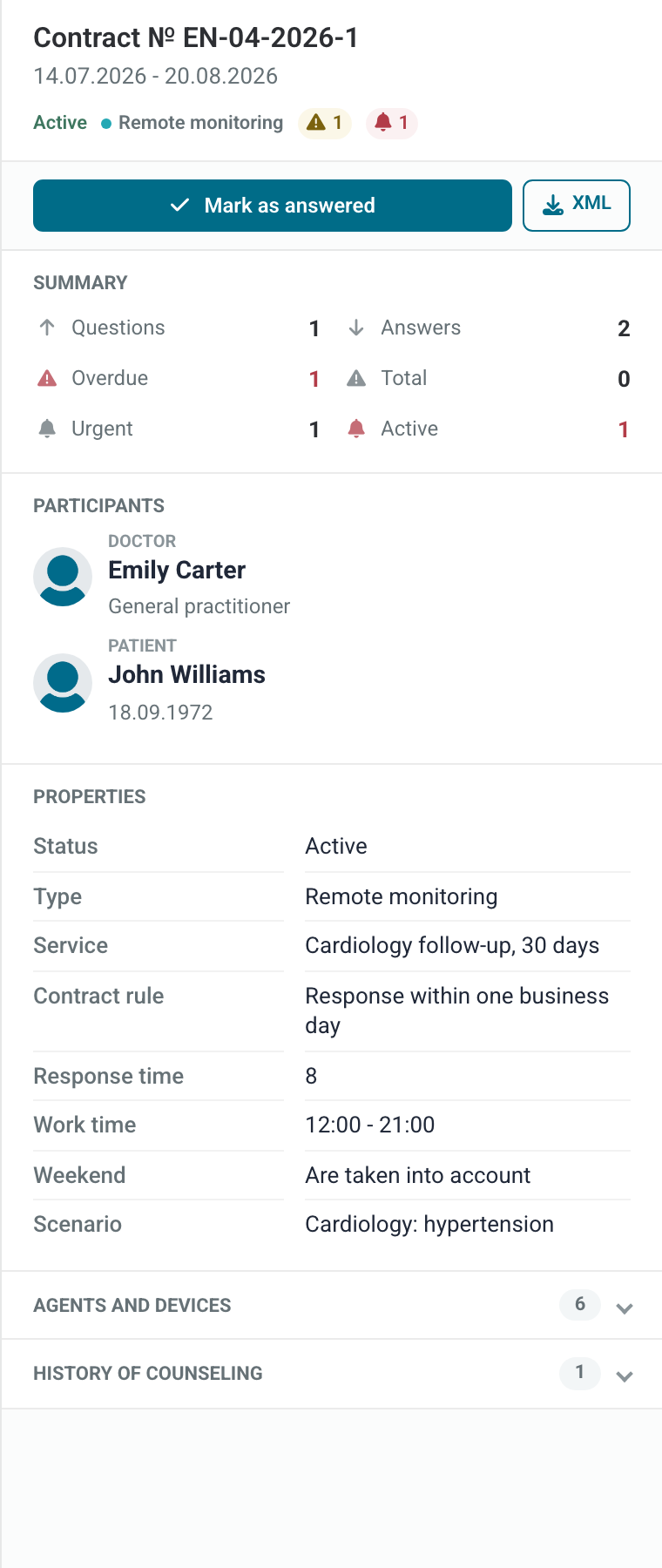
Resolve messages marks the remaining questions as handled and clears the related counters. Use it only after reviewing the situation, for example when the doctor replied through another approved channel or a message did not require an answer.
Do not resolve messages only to clear the queue. If a response is still required, contact the responsible doctor or registrar through the clinic's internal process.