How do I get started?
A clinical supervisor checks that doctors respond to patients on time and react to monitoring alerts. The clinic workspace provides the Supervision section for this work.
How do I open the work queue?
Sign in to the clinic workspace with your own account and select Supervision in the left menu.
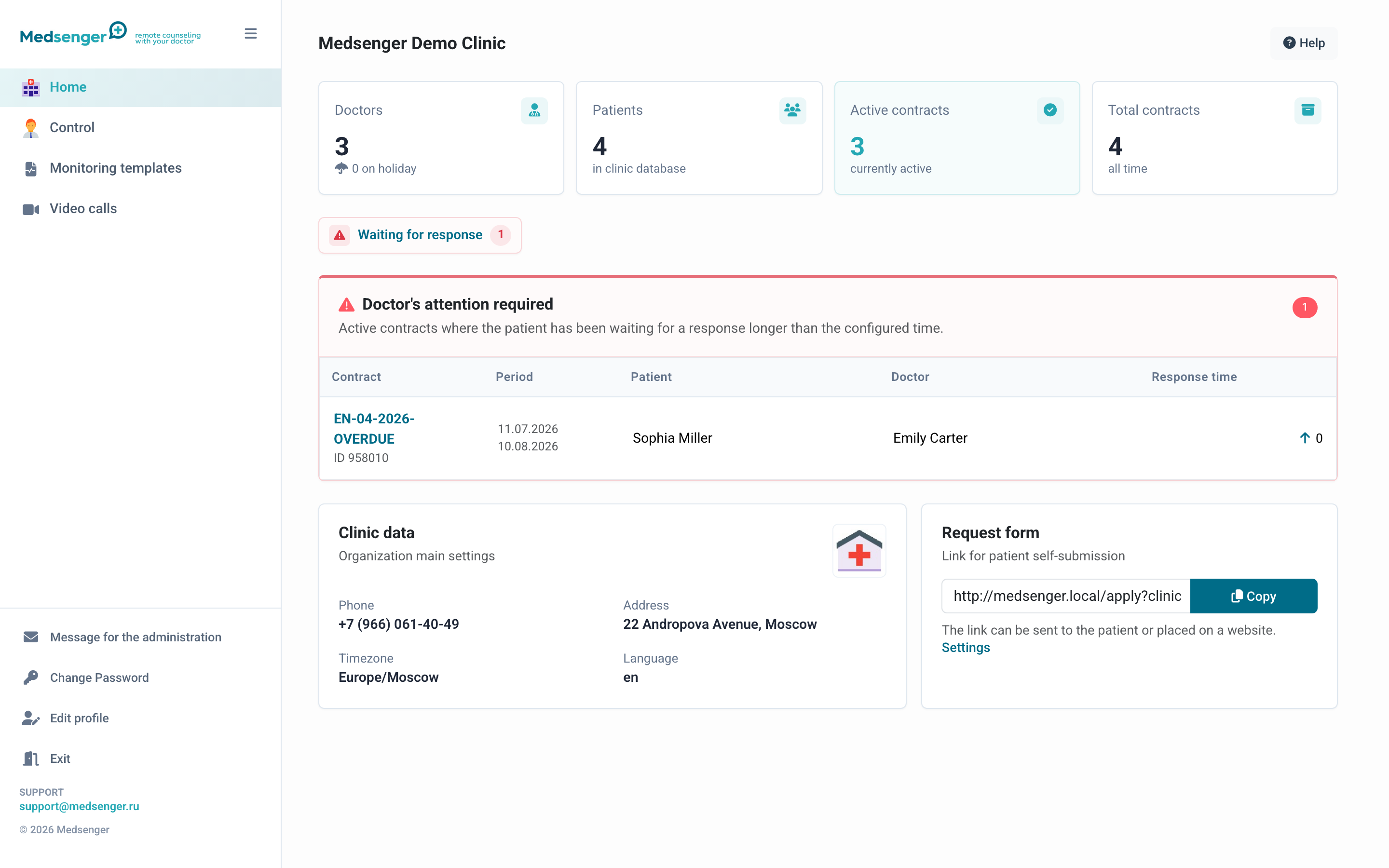
If the section is missing, contact the clinic administrator and ask them to enable the clinical supervisor role for your account.
What should I review first?
Start with consultations that have active emergency alerts, then review consultations with an overdue doctor response. Search, filters, and card indicators help you find a patient or doctor.
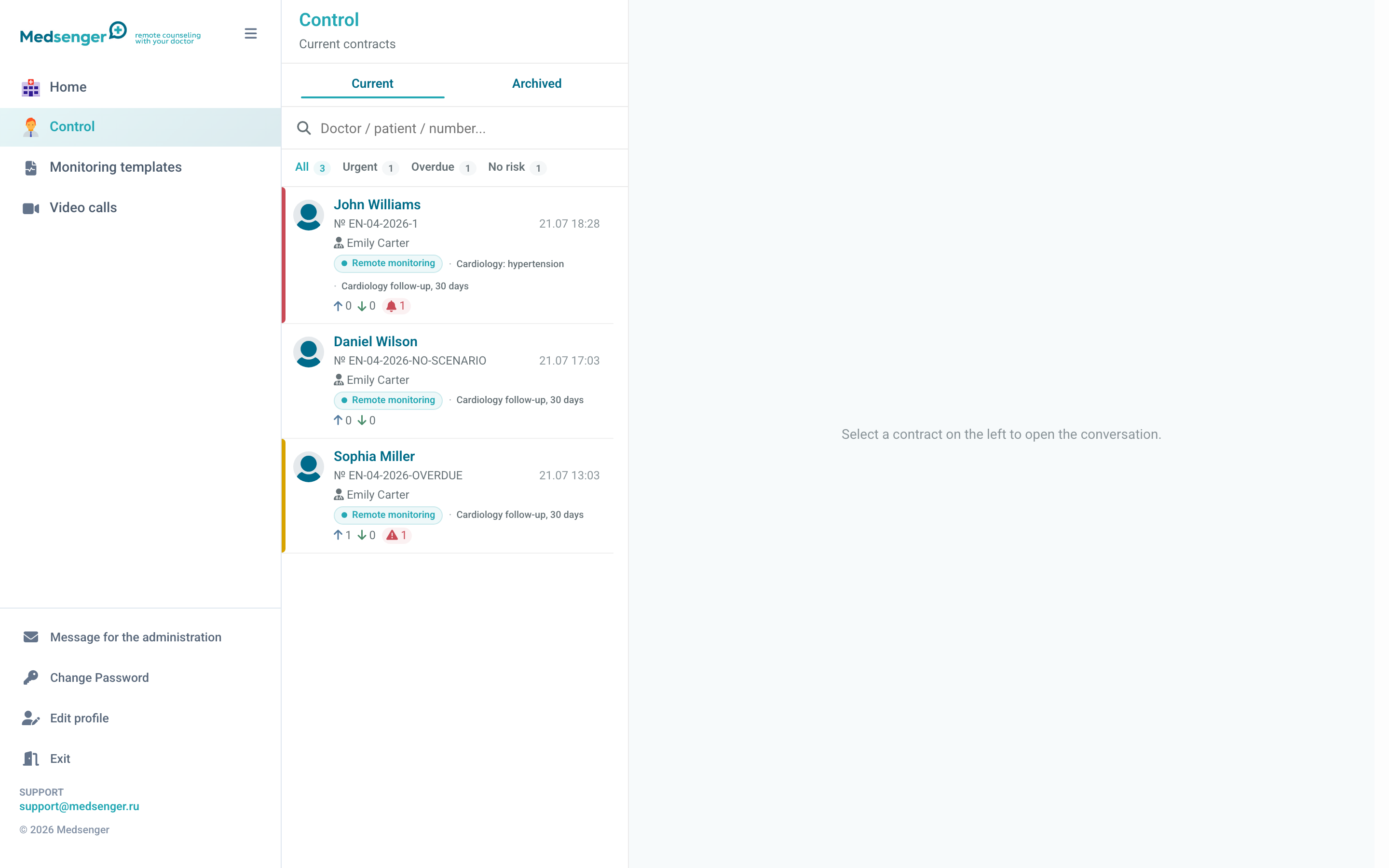
The supervisor reviews the situation and escalates it according to the clinic's process. The supervisor does not answer the patient instead of the treating doctor.